page 22 Compass
™
Stainer Operator’s Manual
If the user presses the STOP key to cancel the run, the following screen is displayed.
The user can press the up or down arrow keys to move the transport mechanism at this point to lift
the rack from the reagent station and remove it without pushing the transport mechanism sideways.
Completion of a Run
When processing of a rack is completed, the system drops the completed rack in the UNLOAD
Station, beeps 5 times and prompts the user to remove the rack. Only after the user confirms that the
rack is removed by pressing ENTER, can the system begin the next run.
When the user presses the ENTER key after removing the rack, the transport mechanism is re-
initialized and the Standby Screen is displayed.
Run Multiple Racks
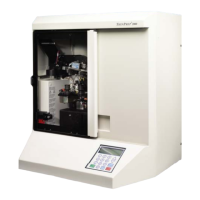
The Compass Stainer is designed to run multiple slide racks at the same time and optimizes a
schedule to reduce overall staining time while respecting any steps with critical timing. The
following guidelines apply when running multiple racks in the stainer simultaneously.
RUN WAS CANCELLED!
REMOVE THE RACKS,
THEN PRESS ENTER.
REMOVE SLIDE RACK
FROM UNLOAD STATION
THEN PRESS ENTER.
COMPASS STAINER
ADD SLIDES AT
LOAD STATION,
THEN PRESS ENTER.
System prompts user to
remove the slide rack from
the UNLOAD station.
The System returns to the
standby display



 To Next Page