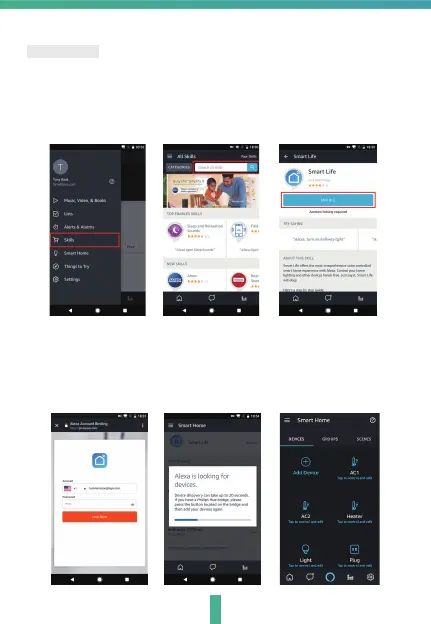
Note : You will need to have set up an Alexa account prior to linking your Homcloud
device.
1. Select
"Menu" and then "Skill".
2. Search for the app and enable it.
3. Log into your Homcloud account with your email address or mobile
number.
4. Select "Discover Device" and the app will begin searching.
5. When successfully linked, you will see a list of connected Homcloud
devices. You can now control your Homcloud devices through Alexa
with your voice.
Alexa Control
11


 To Next Page