5
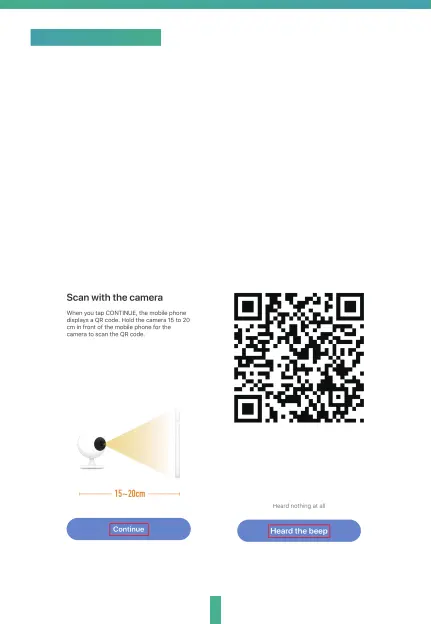
QR Code configuration
4.Hold the camera 15 to 20cm in front of the mobile phone for the
camera to scan the QR code.When the camera comes out with a
"dong dong dong" sound you can complete the configuration in
about 30 seconds.
1.Connect your mobile device to a 2.4GHz Wi-Fi Network and launch
Homcloud App.
2.Make sure you have completed all steps of the installation part.
3.On the Homcloud homepage tap "add device" or the icon "+".
After that tap "Smart Webcam" on the Wi-Fi smart device list.


 To Next Page