
 Need help?
Do you have a question about the HOME8 DWM1301 and is the answer not in the manual?
Unpack device and accessories, then pair with the Security Shuttle within 1-10 feet.
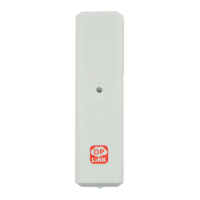
Remove the back plate from the sensor and insert the battery correctly.
Open the Home8 app, navigate to Device Management, and scan the device's QR code.
Mount the sensor using double-sided tape in a vertical position, ensuring proper contact.
Backup video via Dropbox or by sharing from VideoGram.
Reset password through the app sign-in page using phone number and SMS code.
Account authentication and bank-level AES data encryption for transmitted data.
Data is encrypted with bank-level security; alerts for unauthorized access attempts.
Home8 app supports managing multiple locations without limits on Home8 Systems.
Change password or contact support to disable account if a smart device is lost.
Access user manuals online at www.home8alarm.com/download.
Requires broadband internet, a DHCP-enabled router, and internet-connected smart devices.
Troubleshoot camera offline status by power cycling, repositioning, or contacting support.
Troubleshoot system offline status by checking internet and network cable connections.
Verify if your devices are listed in the Home8 app via Device Management.
Ensure devices are within range of the Security Shuttle or move the shuttle closer.
Get assistance with Home8 system installation via the website or support email.
 General
| Model | DWM1301 |
|---|---|
| Category | Accessories |
| Brand | HOME8 |
| Type | Door/Window Sensor |
| Power Source | Battery |
| Product Type | Door/Window Sensor |

 To Next Page