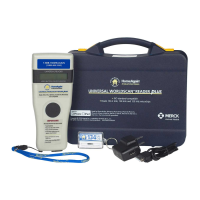
READING MICROCHIPS
When scanning for microchips PRESS AND HOLD BUTTON DOWN during
procedure. The reader will display “SEARCHING”.
Test reader by placing test chip provided on key chain. If microchip
number is not detected, consult USER MANUAL. Do not attach key chain
to reader.
If a microchip is detected, the number will appear on the display. If a
microchip is not detected it will display “NO ID FOUND”.
The following scanning patterns are recommended to locate microchips:
Keep scanner touching animal and scan
slowly following patterns below:



 To Next Page