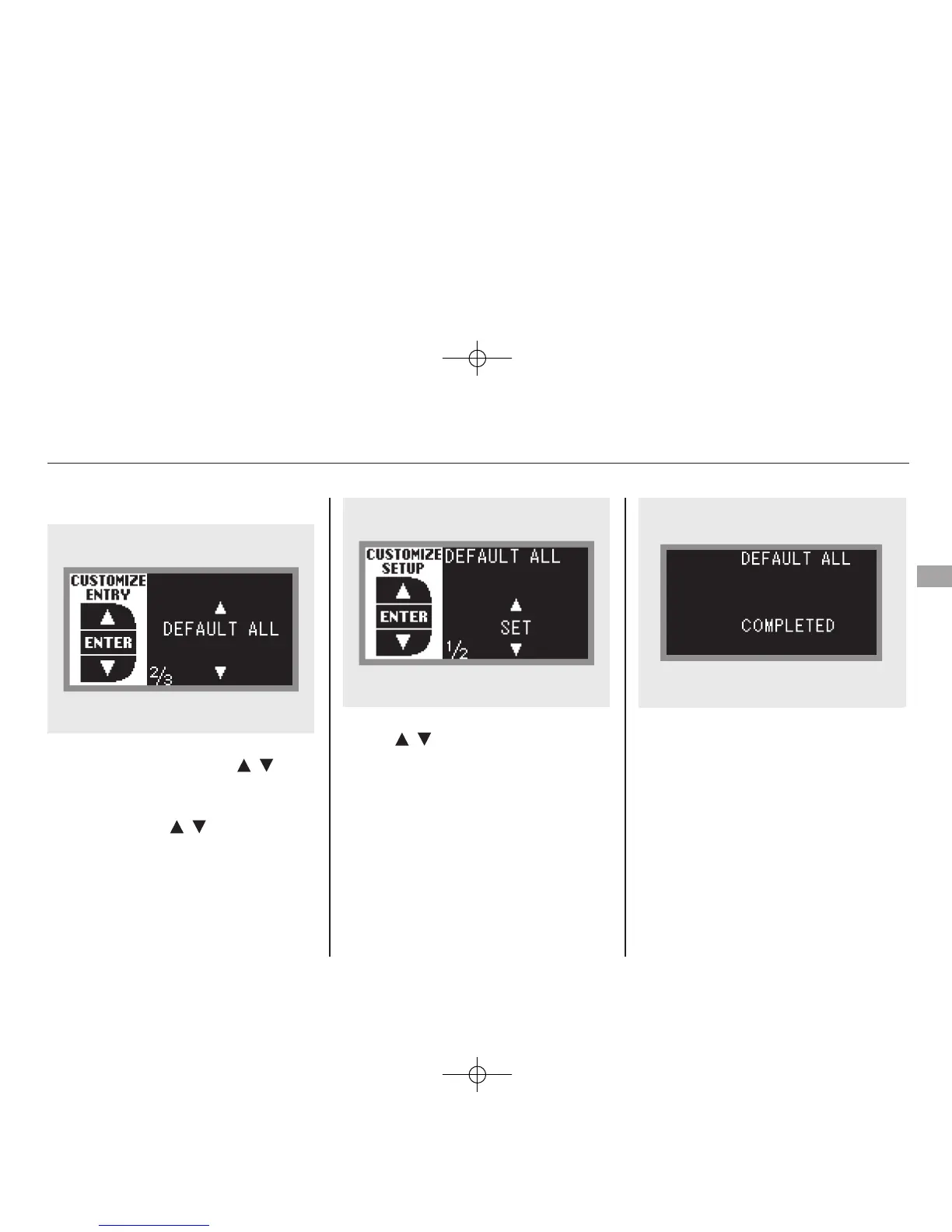
DEFAULT ALL
To enter the customizing mode,
press and hold the INFO (
/ )
button for more than 3 seconds.
If you want to set the default settings,
press the INFO (
/ ) button to
select ‘‘DEFAULT ALL,’’ then press
the SEL/RESET button.
To set the default settings, press the
INFO (
/ ) button to select ‘‘SET’’
then press the SEL/RESET button.
When ‘‘DEFAULT ALL’’ is set, you
will see the above display for several
seconds, then the screen returns to
‘‘CUSTOMIZE ENTRY.’’
CONTINUED
Multi-Information Display
85
Instruments and Controls
11/06/16 17:42:51 12 ACURA RDX MMC North America Owner's M 50 31STK650 enu










 To Next Page