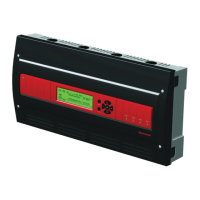
AQ251 SERIES BOILER RESET CONTROL PANELS
23 69-1974—04
APPENDIX
The appendix provides AQ251 Control Panel user interface
information for the:
— The Home Page
— Programming menus (User and Installer)
— Programming menu structure (User and Installer). See
page 38.
Home Page
The Home Page is the default display for the control panel. It
provides general information on system water and outdoor
temperatures, program schedule mode and day / time of day.
The Home Page display may be Simple (3-line) or Detailed
(8-line), as illustrated in Fig. 23. The Home Page display type
is configured from the Installer Menu.
Press the Home button on the keypad to display the Home
Page.
NOTES:
1. PLS SET DAY/TIME displays after a power outage
of more than 4 hours.
2. PROGRAM displays the current active program
(Leave, Return, Sleep, Wake, Occ, or Unocc).
3. TARGET displays the current temperature or indi-
cates the system is in a warm water shutdown
(WWSD) status.
4. When “- -” is displayed instead of a temperature
value (e.g., TARGET: - -), this means that there is
no call for heat from either space heating, DHW, or
Heat Demand zones at the moment.
Fig. 23. Home Page display (Simple and Detail) and keypad.
Programming Menus
There are two programming menus, User and Installer. The
Installer Menu begins on page 30.
User Menu
The User Menu can be accessed at any time by pressing the
Menu button on the keypad.
This menu allows the building owner to:
• View the System Status and Statistics.
• Set the display preferences, date, and time.
• Edit the Zone settings, including setpoint temperatures for
each zone.
• Edit the Setback temperatures for each zone for the WAKE,
LEAVE, RETRN (return), and SLEEP programs.
Refer to Table 5 beginning on page 24 for the following User
Menu selections:
— System Status (page 24)
— Preferences/Time (page 24)
— Zone Settings (page 26)
• All zones
• Single zone for Ambient, Floor, or Ambient/Floor
settings
— Program Settings (page 28)
— Statistics – refer to page 29.
NOTE: An illustration of the complete User Menu is on
page 38.
M27749
WEDNESDAY 9:30A
PROGRAM: LEAVE RETRN SLEEP WAKE OCC UNOCC
OUTDOOR: -5
TARGET: 180 WWSD -
-
BOILER: 180
RETURN: 160
DHW: 100
ZONE COUNT: 31
WEDNESDAY 9:30A
PROGRAM: LEAVE
OUTDOOR: -5
Menu
Home
KEYPAD
HOME PAGE (SIMPLE)
HOME PAGE (DETAIL)
LCD DISPLAY



 To Next Page
 Loading...