MAN0597 ISSUE 08 - 02/04
2302M5030
18
1.2 PRODUCT OVERVIEW
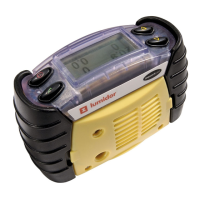
On the top of the unit are four buttons (1). Their functions are
summarised below:
Pressing any key will automatically activate the display
backlight for 10 seconds.
1. Buttons
2. Pump Aperture
3. Cartridge and
Filter Cover
4. Audible Aperture
5. Grille Cover Screws
6. Certification Label
7. Battery Covers
8. Data Connector
9. Tool
9
8
2
3
4
5
1
7
6
! (yellow) Moves up through
menu screens, and used to
increase values
" (green) used as ‘OK’ in
menus. Accepts alarms,
and resets peak values
(red) On/Off button.
Also used as ‘change’ in
menus.
# (yellow) Moves down
through menu screens, and
used to decrease values



 To Next Page
 Loading...