MAN0597 ISSUE 08 - 02/04
2302M5030
3. INSTRUMENT START-UP
29
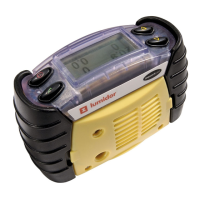
The instrument logs data on the
operator’s exposure, if any, to
measured toxic gases. It achieves this
by requesting the operator to confirm
his/her identity and the location where
the instrument is being used. The
screen displays the last location and
operator. If these are acceptable then
press the
" button. Otherwise select a
new location and/or operator.
3.2 SELECTING LOCATION / OPERATOR
To change the location and/or operator press the button
and the display will show the current location. Press the
! and
# buttons to cycle through the list. Once the correct location
has been found then press
", and follow the same procedure
to select the operator.
3.3 FRESH AIR AUTO ZEROING SENSORS
If enabled the instrument will prompt if
you wish to zero the sensors in fresh
air, to adjust for any natural drift that
may have occurred. If the
" button is
pressed the instrument will then ask
the user to ensure that it is being
zeroed in fresh, uncontaminated air.
Location
Default Location
Operator
Default Operator
✓ -OK
- Change
Zero sensors?
✓ -OK
-No



 To Next Page
 Loading...