MAN0597 ISSUE 08 - 02/04
2302M5030
4. OPERATION
31
4. OPERATION
Note: Wherever the manual says ‘select’, the procedure is to
use the
! and # buttons to cycle through the list, and
then press
"
to select the required option.
4.1 MONITORING CONDITION
4.1.1 Display Screens
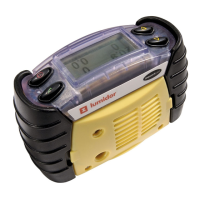
With no alarm conditions the display will typically show:
The gas sensors and their respective units are displayed,
complete with a battery gauge monitor at the bottom. For an
instrument fitted with less than four sensors each unused
sensor position will show ‘---‘.
Several data screens are available and these can be viewed
by pressing the
! and # buttons to cycle through. The symbol
in the centre of the screen will identify which screen is active.
Peak Screen ( )
This symbol is displayed when the
instrument is displaying the peak
readings for the sensors, i.e. the
highest readings seen since the
instrument was switched on or since
they were reset. This is useful for pre-
entry checks for confined space entry.
These readings can be reset by
pressing the
" button whilst this
display is shown.
This screen will alternate with a screen showing the minimum
value of oxygen. In this case the is replaced by .
020.9
0
0.0
02
CO
%V/V
ppm
FLM
H2S
%LEL
ppm
020.9
0
0.0
02
CO
%V/V
ppm
FLM
H2S
%LEL
ppm
▲



 To Next Page
 Loading...