MAN0597 ISSUE 08 - 02/04
2302M5030
4. OPERATION
36
4.3 ALARM CONDITION
There are two modes of alarm: latching and non-latching.
However, the display will give the same alarm indication:
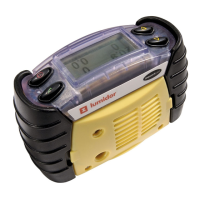
An alarm symbol will appear in the
relevant section of the display. The
alarm symbol contains a number,
indicating the increasing severity of
the alarm, with increasing frequency
of the audible and visual alarms. If
there is a STEL/LTEL alarm the
relevant icon will appear and flash.
Any alarm will cause the backlight to be switched on
automatically.
4.3.1 Latching Alarms (default)
In the latched condition, once an alarm occurs both audible
and visual alarms continue to operate even after the
atmospheric hazard has cleared. Pressing any of the
instrument buttons will clear an alarm. Any subsequent alarm
will reactivate the audible and visual alarms.
4.3.2 Non-latching Alarms
In this mode, should a gas alarm occur the instrument would
enter an alarm condition. When the readings return to normal
levels the audible and visual alarms will stop.
4.3.3 Vibrating alarm (where fitted)
If this option is fitted to the instrument any alarm condition that
activates the audible and visual alarms will also activate the
built-in vibrating alarm.
0.0
02
CO
%V/V
ppm
FLM
H2S
%LEL
ppm
1 2
3



 To Next Page
 Loading...