MAN0597 ISSUE 08 - 02/04
2302M5030
4. OPERATION
42
Safelink mode must be terminated before attempting to use
the instrument in a basestation (for charging or calibration) or
the Enforcer.
4.6 PUMP (IMPACT PRO ONLY)
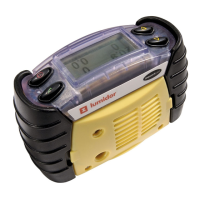
The pump allows gas to be drawn through tubing across the
sensors. Fitting the Pump Adaptor will automatically switch
the pump on.
If the pump is operating correctly the pump symbol will rotate.
Please refer to Section 4.1.2 Other Displayed Symbols of this
manual on the operation of the instrument under blocked flow
conditions.
The instrument contains a feature that tests and if necessary
dynamically sets the Pump Stall threshold via a calibration
routine. Upon fitting the Pump Adaptor, the user will see the
following sequence of screens. The instrument gives
instructions at each stage informing the user as to what
operations need to be performed.
Please follow the instructions on screen during the Pump Test
and Calibration procedure. Fit the required length of sample
tube of the inlet of the Pump Adaptor together with the
Hydrophobic Filter. Fit the Pump Adaptor to the front of the
instrument.
Ensure that there is nothing obstructing the flow into the
sample pump and press the
" button.
Pump Test
Please ensure
pump unblocked
Press " to continue



 To Next Page
 Loading...