Calibration Handbook
110 Searchpoint Optima Plus
Optima. If the display shows Excel or Optima press ESC
ESC must be pressed within 3 seconds to take effect, toggles Interrogator mode between Excel, Optima
Plus and Optima.
6. Start-up message is updated and displayed again for 3 sec
Z - SHC1 EXCEL
Interrogator 4V0
7. Unit displays Main menu, top level of menu style interface, as follows:
Main
Display
First line of display shows current level in menu tree, second line displays sub-menu title, action or data.
8. Select DISPLAY mode on Handheld Interrogator and check displayed gas reading is 0.0% LEL.
Optima+ Methane
0.0 %LEL \
If displayed gas reading is not 0.0% LEL, check that there is no background gas concentration present,
optics are clean and free from condensation and unit has been given sufficient time to stabilize in its
operating environment.
For best results, it is recommended that a unit is left powered up for one hour before performing zero or
span calibration / test activities
9. Perform a functional gas test – bump test
Calibrate
Display
Inhibinting 4-20
Please Wait . . .
Optima+ Methane
0.0 %LEL \
Detector inhibits 4-20mA output which prevents gas readings from being signaled on 4-20mA output. For
a nominal 50% LEL test gas concentration, displayed reading should be between 45% LEL and 55% LEL
If necessary, test gas concentrations between 20%LEL and 95%LEL can be used with same +/- 5% LEL
test tolerance
If displayed gas reading falls within +/-5% LEL test tolerance range, functional gas test is successful
10. When concentration levels are below alarm thresholds or at zero, press ESC to return 4-20 output to
normal state and exit
Calibration:
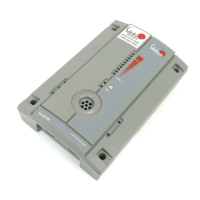
11. If not already connected, connect SHC-1, press
to power on. Check that the SHC-1 is in Optima+ mode.
Z - SHC1 EXCEL
Interrogator 4V0
After five seconds the display shows
Main
Display
12. Press T to move through the menu to the Calibrate Menu; display shows


 To Next Page
 Loading...