MACHINE DEVICES
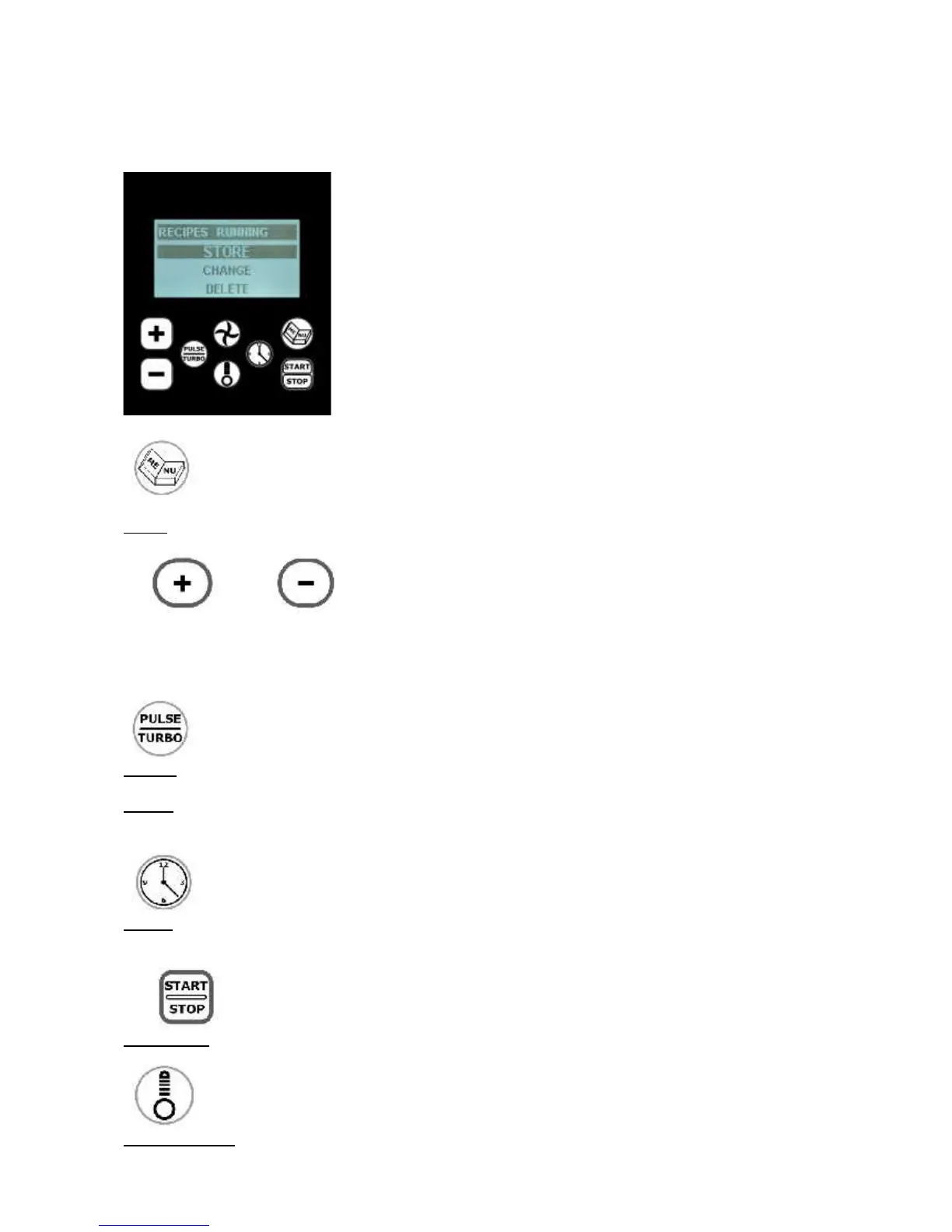
CONTROL PANEL (7)
Menu: to access to the recipe menu.
“+” “-“: to increase or decrease Speed, Time and Temperature parameters.. When "+" and "-" are used as
pulse buttons, the parameters increase or decrease by one digit. If you keep pressing the buttons,
the parameters will quickly increase or decrease, just depending on how long the buttons will stay pressed.
Turbo: By keeping the switch pressed, it is possible to go from speed 6 as a minimum to the
maximum speed (“Turbo” speed), till the switch is being released.
Pulse: to get a “Pulse” functioning at any speed, from 1 to 10 (with the exception of speeds
1E and 1F).
Clock: to set the operating time up to a maximum of 4 hours.
Start/stop: it is the on/off switch for any function.
Thermometer: to set the operating temperature as from 25° C (77°F) up to 190° C (374°F).


 To Next Page