EasyManua.ls Logo

Hotpoint MISTRAL FF71 - Page 15

Hotpoint MISTRAL FF71
19 pages
Print Icon
To Next Page IconTo Next Page
To Previous Page IconTo Previous Page
Loading...
IMPORTANT
INFORMATION:
Before
changing
the
light
bulb,
switch
off
electricity
supply
and
pull
out
plug.
Changing
the
Light
Bulb
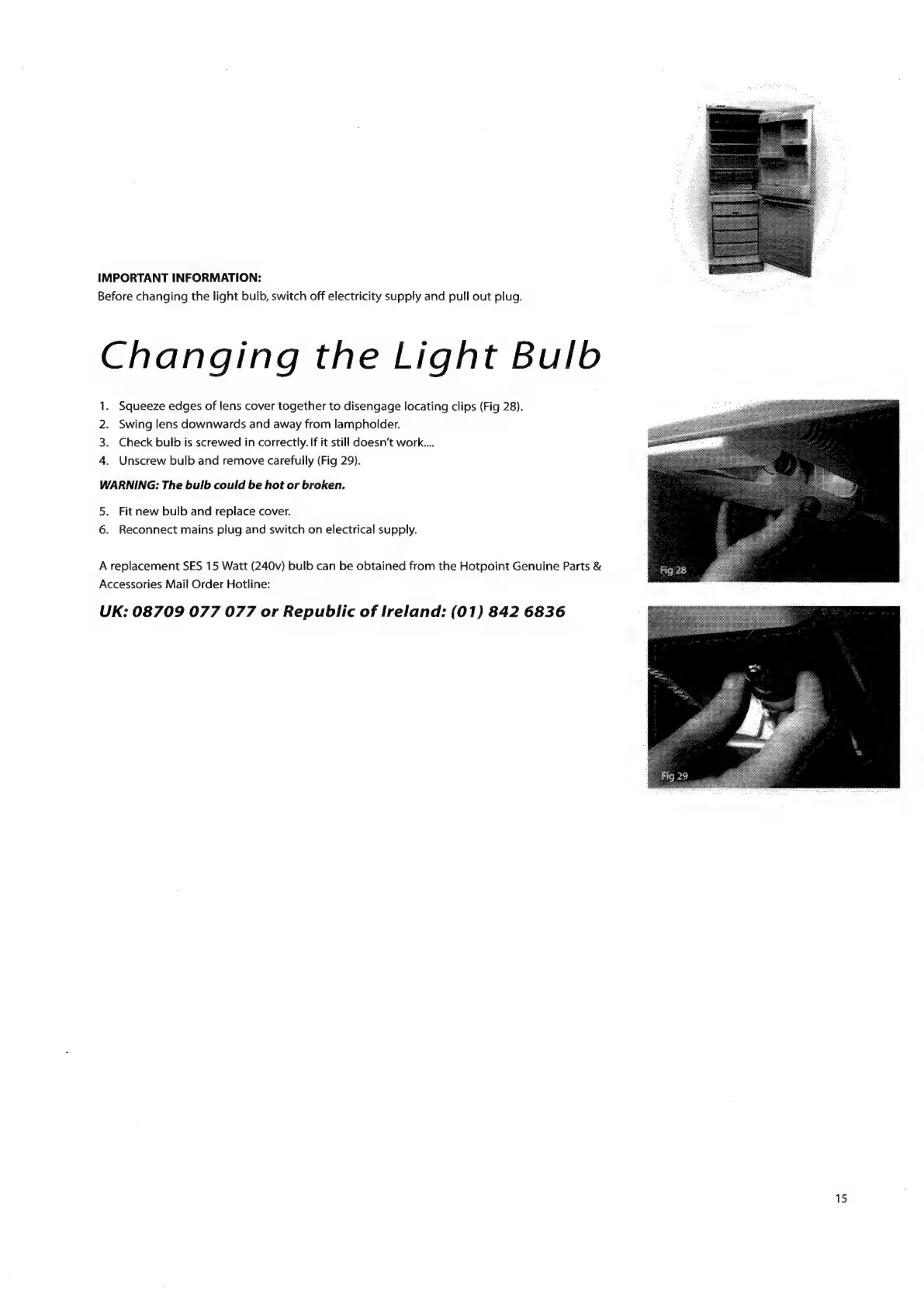
Squeeze
edges
of
lens
cover
together
to
disengage
locating
clips
(Fig
28).
Swing
lens
downwards
and
away
from
lampholder.
Check
bulb
is
screwed
in
correctly.
If it
still
doesn’t
work...
Unscrew
bulb
and
remove
carefully
(Fig
29).
P
WARNING:
The
bulb
could
be
hot
or
broken.
5.
Fit
new
bulb
and
replace
cover.
6.
Reconnect
mains
plug
and
switch
on
electrical
supply.
A
replacement
SES
15
Watt
(240v)
bulb
can
be
obtained
from
the
Hotpoint
Genuine
Parts
©
Accessories
Mail
Order
Hotline:
UK:
08709
077
077
or
Republic
of
Ireland:
(01)
842
6836
15

Related product manuals