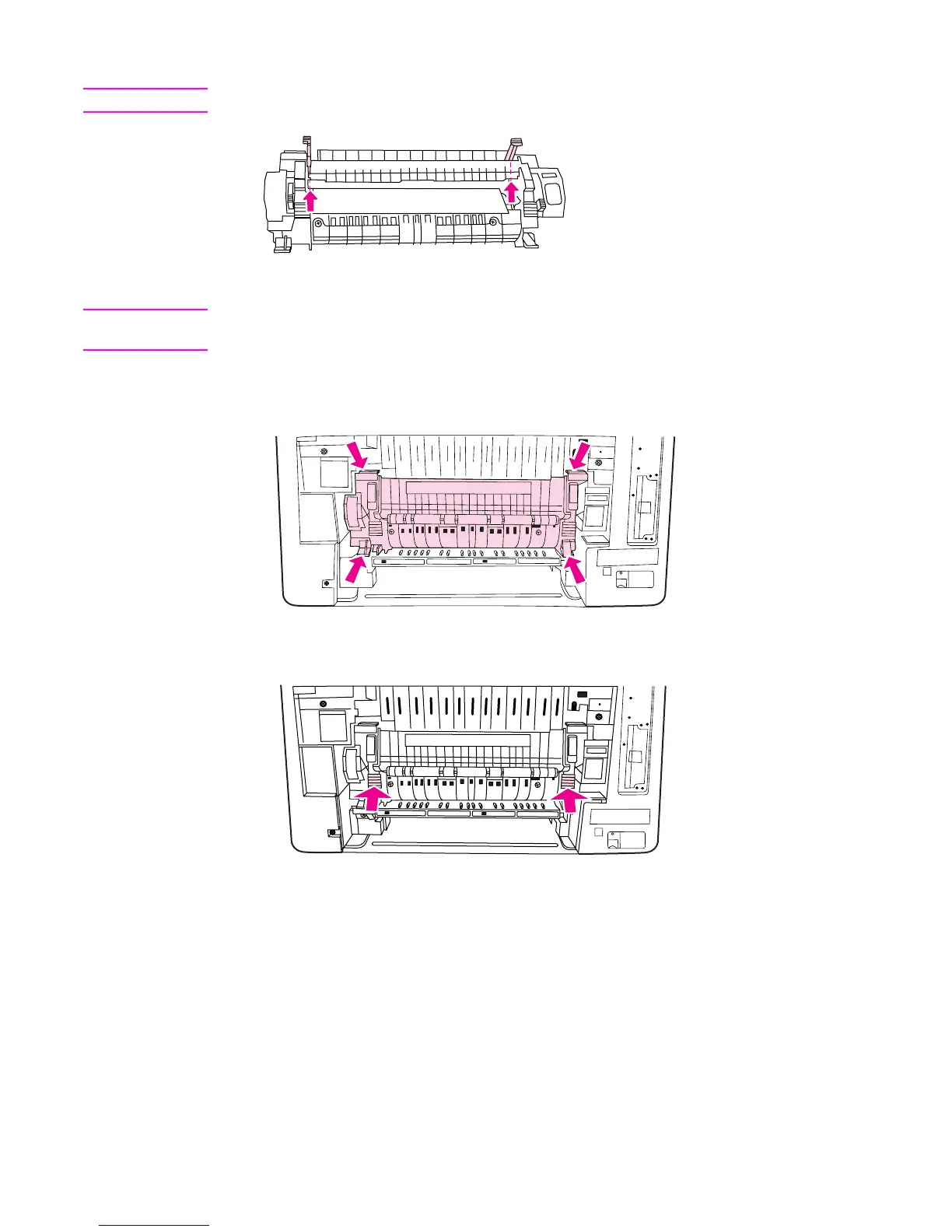
8. On the fuser, squeeze and lift the black tabs to open the shutter door.
CAUTION
Do not open the shutter door while the fuser is in the printer.
9. Remove any jammed paper.
NOTE
If the paper tears, make sure that all paper fragments are removed from the paper path
before you resume printing.
10. Hold the fuser with your thumbs on the blue ridges and your fingers on the blue latches.
Push both sides of the fuser into the printer.
11. Press the black ridges on the front of the fuser until the fuser clicks into place.
ENWW Clearing paper jams 165



 To Next Page