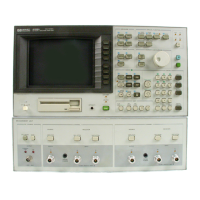
System Reset
By using
SYSTEM RESET
function the HP 4284A can be set easily
for the performance test. SYSTEM RESET can b e p erformed using
the following pro cedure.
Procedure
1. Press
4
MEAS SETUP
5
to display
MEAS SETUP
page.
2. Use
CURSOR
keys to move the cursor to the
SYS MENU
eld.
3.
Press
NNNNNNNNNNNNNNNNNNNNNNNNNN
more 1/2
softkey to display
NNNNNNNNNNNNNNNNNNNNNNNNNNNNNNNNNNNNNN
SYSTEM RESET
.
4.
Press
NNNNNNNNNNNNNNNNNNNNNNNNNNNNNNNNNNNNNN
SYSTEM RESET
.
5.
Press
NNNNNNNNNNN
YES
to p erform a SYSTEM RESET.
10-4 Performance Tests


 To Next Page