Basic Operation
The HP 4284A's basic op eration is describ ed in the following
paragraphs.
Display the desired display page using b oth the MENU keys and
the softkeys. (Refer to Figure 2-5.)
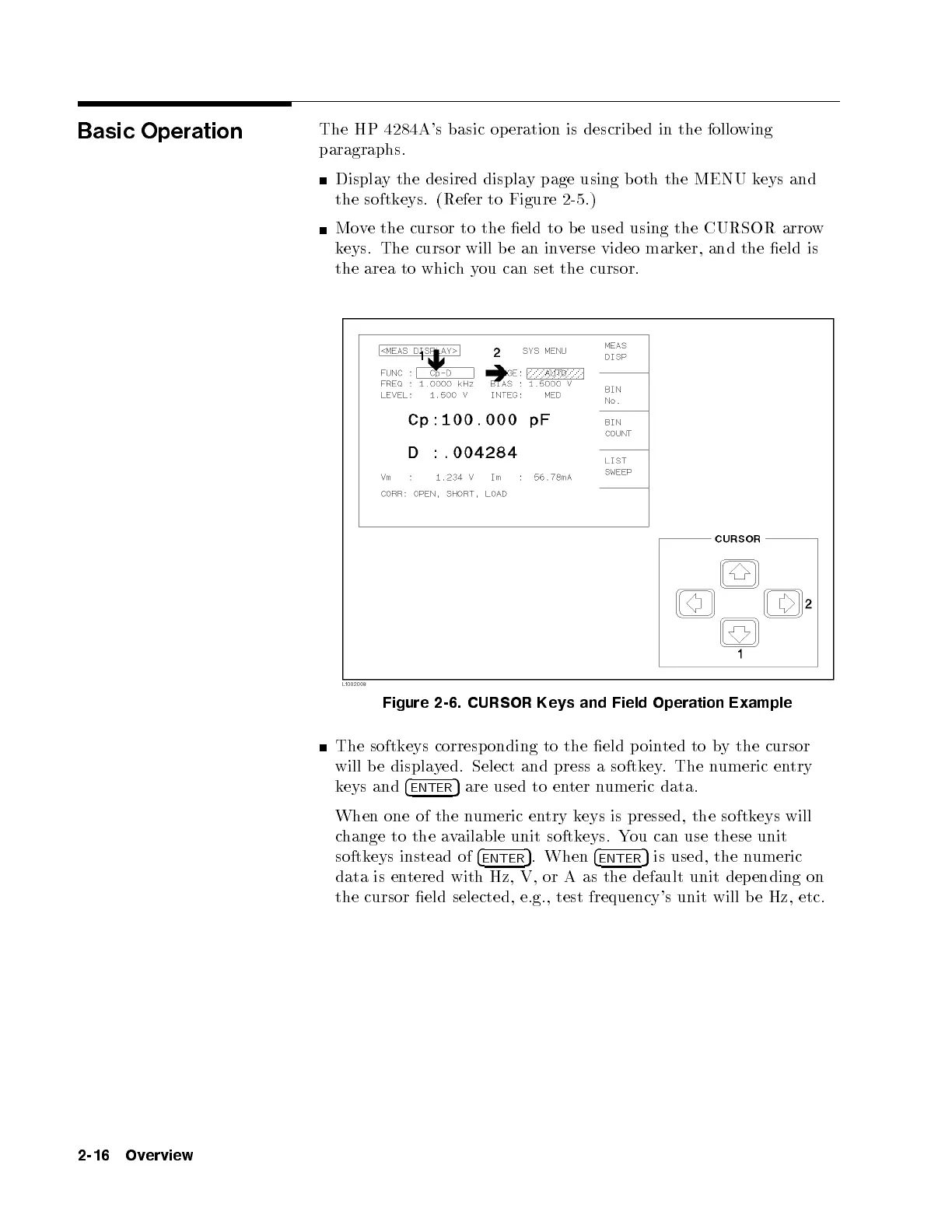
Move the cursor to the eld to b e used using the CURSOR arrow
keys. The cursor will be an inverse video marker, and the eld is
the area to whichyou can set the cursor.
Figure 2-6. CURSOR Keys and Field Operation Example
The softkeys corresp onding to the eld p oin
ted to by the cursor
will be displayed. Select and press a softkey. The numeric entry
keys and
4
ENTER
5
are used to enter numeric data.
When one of the numeric entry keys is pressed, the softkeys will
change to the available unit softkeys. You can use these unit
softkeys instead of
4
ENTER
5
. When
4
ENTER
5
is used, the numeric
data is entered with Hz, V, or A as the default unit depending on
the cursor eld selected, e.g., test frequency's unit will be Hz, etc.
2-16 Overview



 To Next Page