basics guide
12
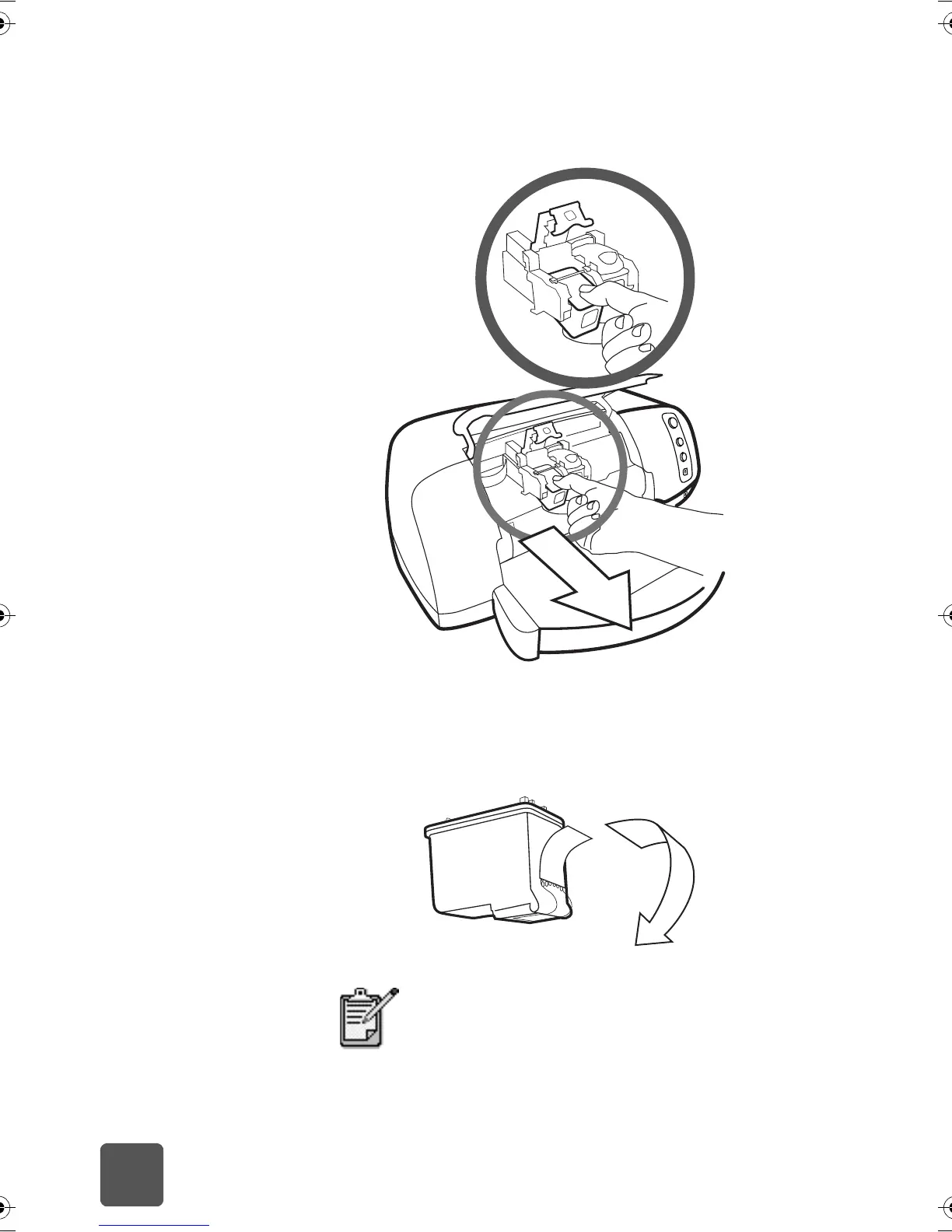
4 If you are replacing a print cartridge, slide out the old print
cartridge and recycle or discard it.
5 Take the new print cartridge out of its package.
6 Grasp the pink tab and gently peel off the plastic tape.
Make sure you remove only the clear tape from the nozzles
and leave the copper contacts.
Do NOT touch the ink nozzles or the copper
contacts. Touching these parts may cause print
cartridge failure.
tw_basics.book Page 12 Monday, July 1, 2002 8:47 AM



 To Next Page