Chapter 4 Printer Maintenance 195
Managing the Toner Cartridge
Redistributing the Toner
When toner is low, faded or light areas might appear on a printed page. You
might be able to temporarily improve print quality by redistributing the toner.
The following procedure might allow you to finish the current print job before
replacing the toner cartridge.
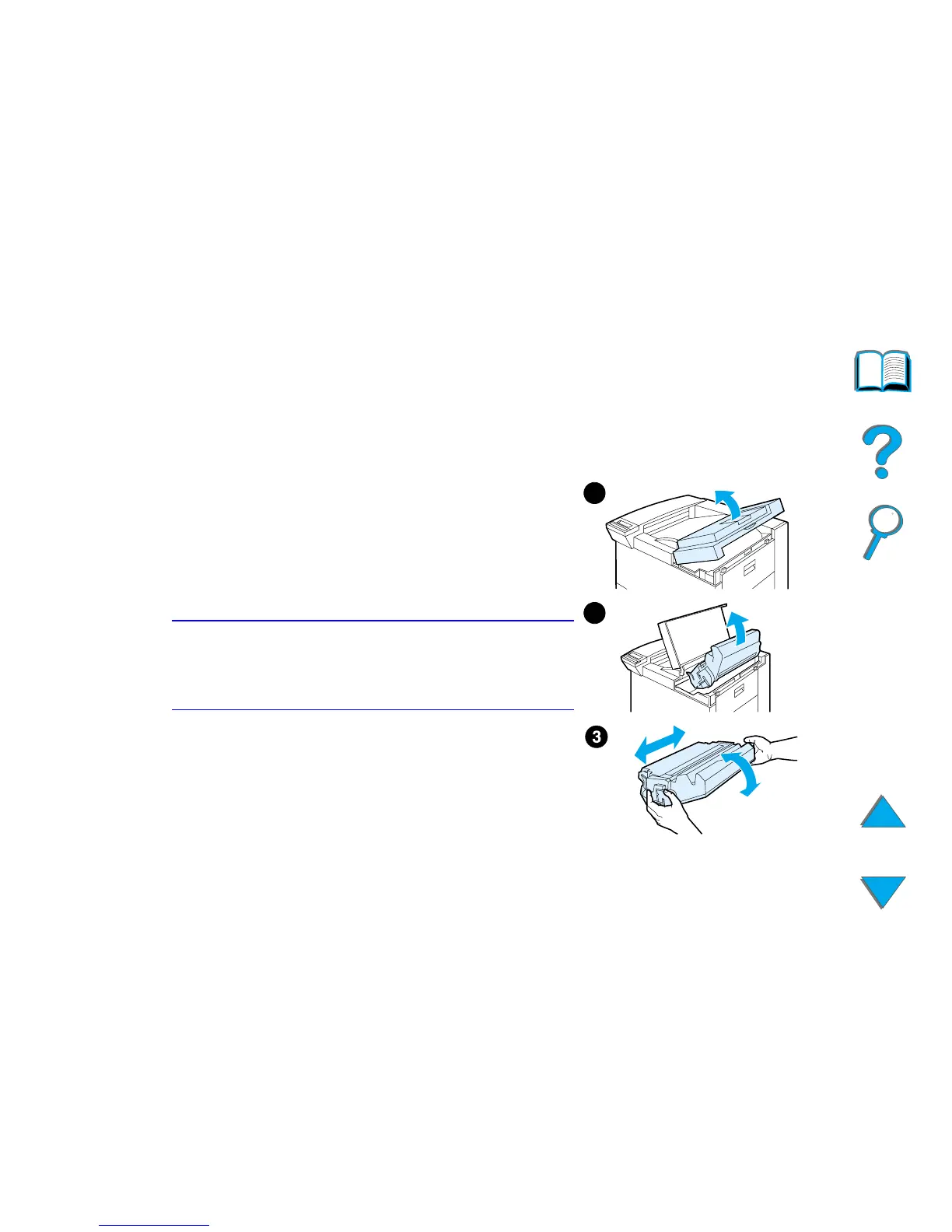
1 Open the top cover.
2 Remove the toner cartridge from the printer.
3 Rotate the toner cartridge and gently shake it
from side to side to redistribute the toner.
Note
If toner gets on your clothing, wipe it off with a
dry cloth and wash clothing in cold water. (Hot
water sets toner into fabric.)
Continued on next page.
1
2



 To Next Page