EasyManua.ls Logo

HP 8447A - Page 27

HP 8447A
30 pages
Print Icon
To Next Page IconTo Next Page
To Previous Page IconTo Previous Page
Loading...
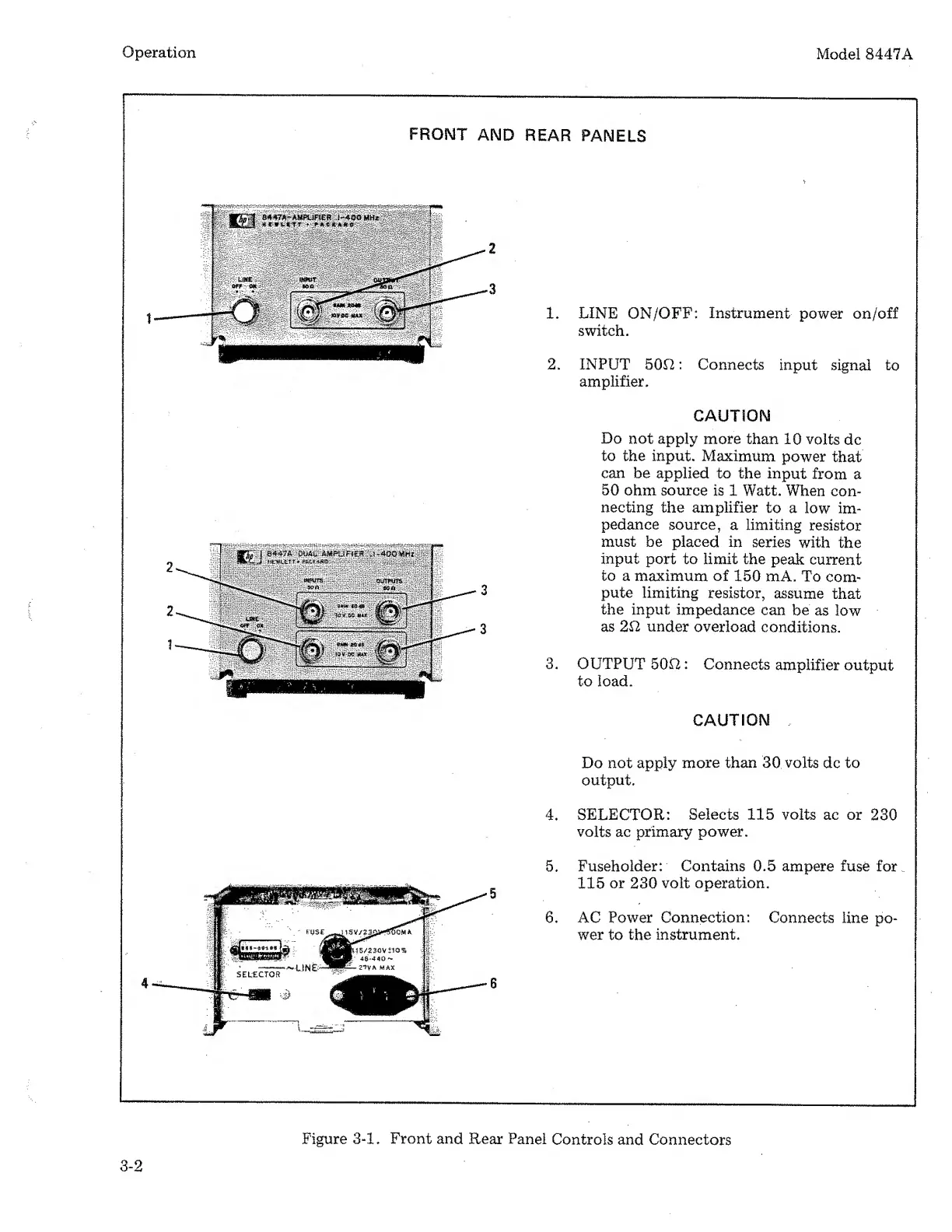
Operation
Model
8447A
PROMT
AND
REAR
PANELS
1.
LINE
ON/OFF:
Instrument
power
on/off
switch.
2.
INPUT
500:
Connects
input
signal
to
amplifier.
CAUTION
Do
not
apply
more
than
10
volts
dc
to
the
input.
Maximum
power
that
can
be
applied
to
the
input
from
a
50
ohm
source
is
1
Watt.
When
con¬
necting
the
amplifier
to
a
low
im¬
pedance
source,
a
limiting
resistor
must
be
placed
in
series
with
the
input
port
to
limit
the
peak
current
to
a
maximum
of
150
mA.
To
com¬
pute
limiting
resistor,
assume
that
the
input
impedance
can
be
as
low
as
2il
under
overload
conditions.
3.
OUTPUT
500:
Connects
amplifier
output
to
load.
CAUTION
Do
not
apply
more
than
30
volts
dc
to
output.
4.
SELECTOR:
Selects
115
volts
ac
or
230
volts
ac
primary
power.
5.
Fuseholder:
Contains
0.5
ampere
fuse
for
115
or
230
volt
operation.
6.
AC
Power
Connection:
Connects
line
po¬
wer
to
the
instrument.
Figure
3-1.
Front
and
Rear
Panel
Controls
and
Connectors
3-2

Related product manuals