Operation
Model 8642A/B
Knob (cont'd)
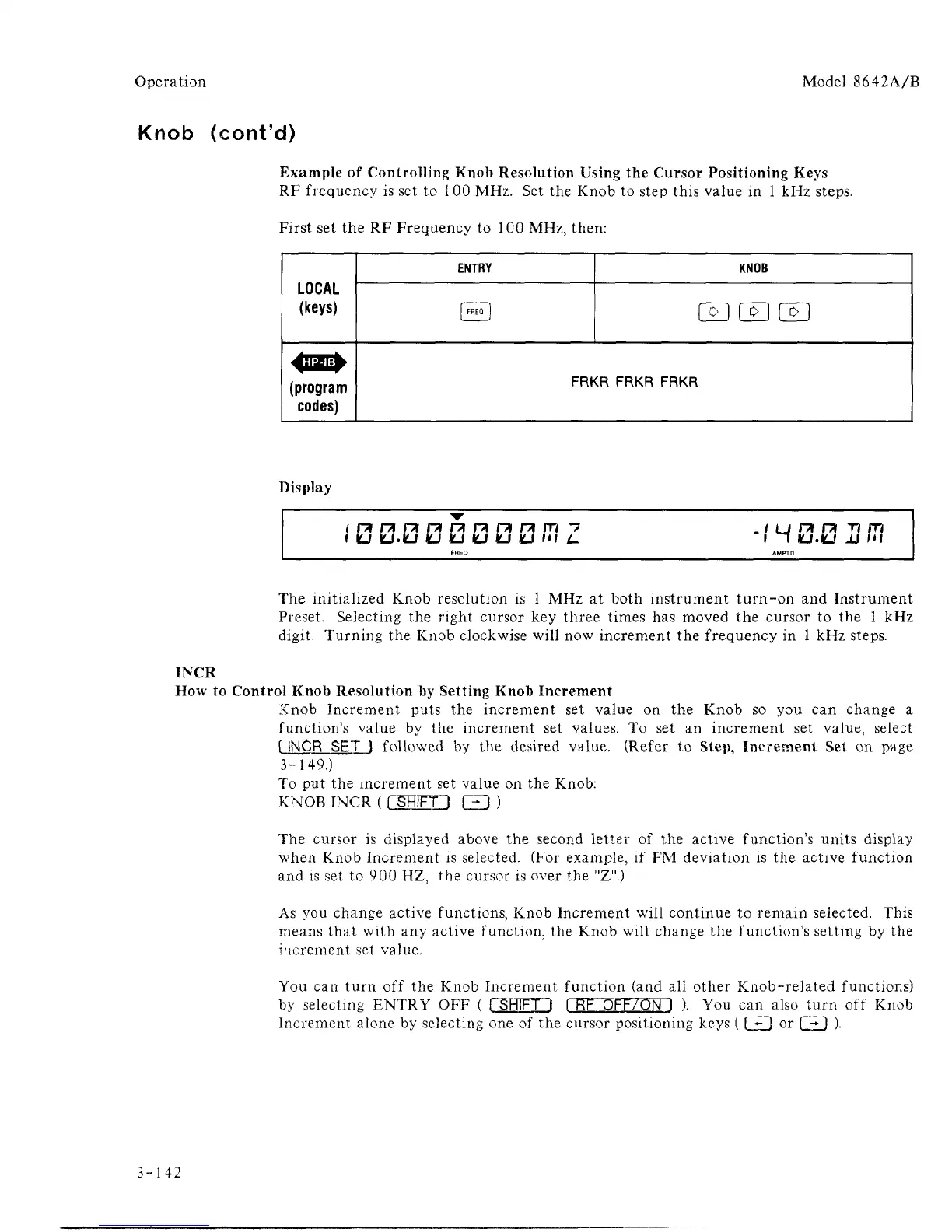
Example of Controlling Knob Resolution Using the Cursor Positioning Keys
RF frequency is set to
1
00 MHz. Set the Knob to step this value in 1 kHz steps.
First set the RF Frequency to 100 MHz, then:
LOCAL
(keys)
4H&
(program
codes)
ENTRY
[FHEQ
1
KNOB
00L^J
FRKR FRKR FRKR
Display
i
fcj
kj.fcj
fcj fcj KJ
fcj
kJ m L. I 1 kj.lu a in
The initialized Knob resolution is l MHz at both instrument turn-on and Instrument
Preset. Selecting the right cursor key three times has moved the cursor to the l kHz
digit. Turning the Knob clockwise will now increment the frequency in l kHz steps.
INCR
How to Control Knob Resolution by Setting Knob Increment
Knob Increment puts the increment set value on the Knob so you can change a
function's value by the increment set values. To set an increment set value, select
RNCR SET") followed by the desired value. (Refer to Step, Increment Set on page
3-149.)
To put the increment set value on the Knob:
KNOB INCR ( rSHim Q )
The cursor is displayed above the second letter of the active function's units display
when Knob Increment is selected. (For example, if FM deviation is the active function
and is set to 900 HZ, the cursor is over the "Z".)
As you change active functions, Knob Increment will continue to remain selected. This
means that with any active function, the Knob will change the function's setting by the
increment set value.
You can turn off the Knob Increment function (and all other Knob-related functions)
by selecting ENTRY OFF ( rSRlFTT FRT OFF/ON 1 ). You can also turn off Knob
Increment alone by selecting one of the cursor positioning keys ( [_^J or (^J ).
3-142



 To Next Page