Model 8642A/B
Operation
Relative RF Frequency (cont'd)
REL OFF
How to Turn Off the Frequency Relative Mode
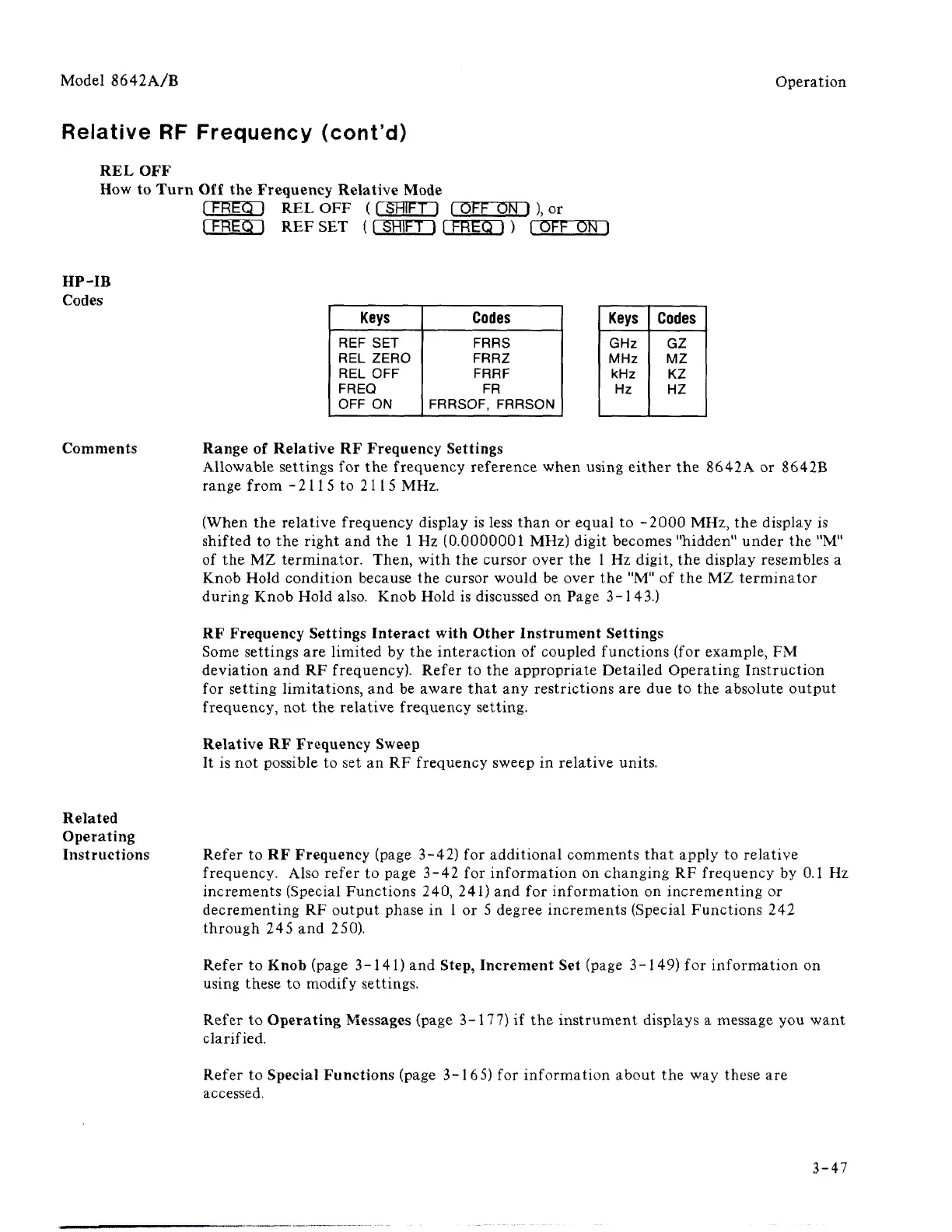
fFREOH REL OFF (I SHIFT I fOFF ON I ), or
I FREQ I REF SET ([ SHIFT I [ FREQ I ) fOFF ON 1
Keys
REF SET
REL ZERO
REL OFF
FREQ
OFF ON
Codes
FRRS
FRRZ
FRRF
FR
FRRSOF, FRRSON
Keys
GHz
MHz
kHz
Hz
Codes
GZ
MZ
KZ
HZ
Comments Range of Relative RF Frequency Settings
Allowable settings for the frequency reference when using either the 8642A or 8642B
range from - 211 5 to 211 5 MHz.
(When the relative frequency display is less than or equal to -2000 MHz, the display is
shifted to the right and the 1 Hz (0.0000001 MHz) digit becomes "hidden" under the "M"
of the MZ terminator. Then, with the cursor over the 1 Hz digit, the display resembles a
Knob Hold condition because the cursor would be over the "M" of the MZ terminator
during Knob Hold also. Knob Hold is discussed on Page 3-143.)
RF Frequency Settings Interact with Other Instrument Settings
Some settings are limited by the interaction of coupled functions (for example, FM
deviation and RF frequency). Refer to the appropriate Detailed Operating Instruction
for setting limitations, and be aware that any restrictions are due to the absolute output
frequency, not the relative frequency setting.
Relative RF Frequency Sweep
It is not possible to set an RF frequency sweep in relative units.
Related
Operating
Instructions Refer to RF Frequency (page 3-42) for additional comments that apply to relative
frequency. Also refer to page 3-42 for information on changing RF frequency by 0.1 Hz
increments (Special Functions 240, 241) and for information on incrementing or
decrementing RF output phase in 1 or 5 degree increments (Special Functions 242
through 245 and 250).
Refer to Knob (page 3-141) and Step, Increment Set (page 3-149) for information on
using these to modify settings.
Refer to Operating Messages (page 3-177) if the instrument displays a message you want
clarified.
Refer to Special Functions (page 3-165) for information about the way these are
accessed.
3-47



 To Next Page