Operation
Model 8642A/B
AMPLITUDE
©
©
^mmm
ENTRY
^^MH
AMPTD
■>
■
□ □
DO
□ □
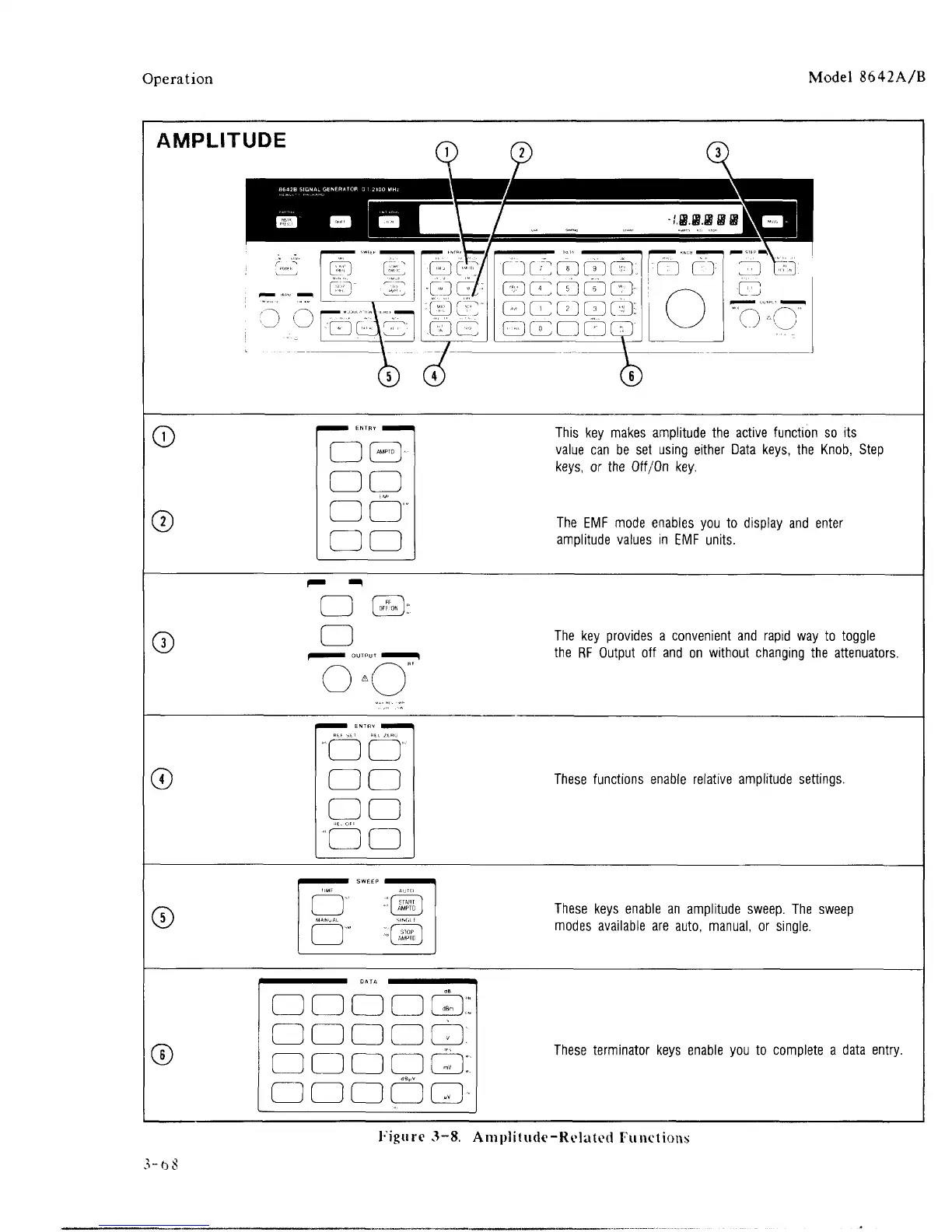
This key makes amplitude the active function so its
value can be set using either Data keys, the Knob, Step
keys,
or the Off/On key.
The EMF mode enables you to display and enter
amplitude values in EMF units.
©
□
The key provides a convenient and rapid way to toggle
the RF Output off and on without changing the attenuators.
©
^^^^B
ENTRV
NH^H
□ CD
□ □
"□□
These functions enable relative amplitude settings.
©
I
I I
AMPTD
J
These keys enable an amplitude sweep. The sweep
modes available are auto, manual, or single.
©
O O O O Qi
□ □□□□:
□ □ □ □ □:
□
□□DO
These terminator keys enable you to complete a data entry.
Figure 3-8. Amplitude-Related Functions
3-bS



 To Next Page