EasyManua.ls Logo

HP HP-65 - Battery Pack Replacement

HP HP-65
112 pages
Print Icon
To Next Page IconTo Next Page
To Previous Page IconTo Previous Page
Loading...
All
decimal
points
in
the
display
light
when
2
to
5
minutes
of
operation
time
remain
in
the
battery
pack.
Even
when
all
the
decimal
points
are
lit,
the
true
decimal
position
is
known
be-
cause an
entire
digit
position
is
allocated
to
it.
Battery
Pack
Replacement
To
replace
your
battery
pack
use
the
following
procedure:
1.
Turn
the
power
switch
to
OFF
and
disconnect
the
battery
charger.
2.
Slide
the
two
battery-door
latches
toward
the
bottom
of
the
calculator.
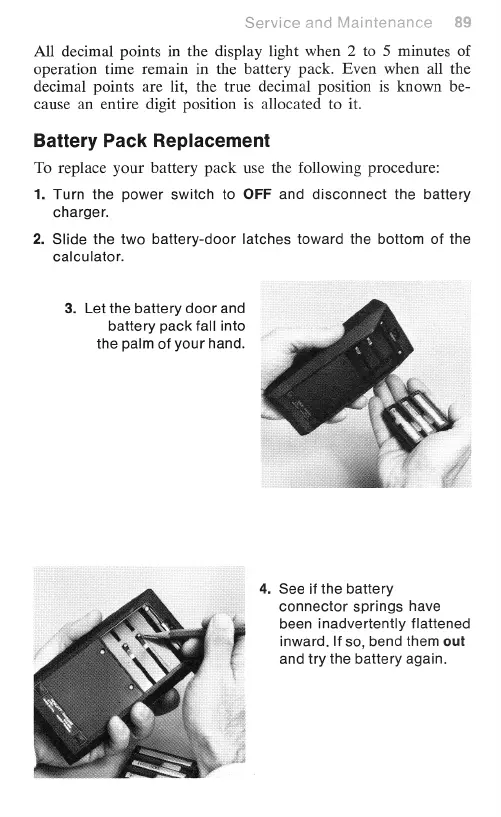
3.
Let
the
battery
door
and
battery
pack
fall
into
the
palm
of
your
hand.
.
See
if
the
battery
connector
springs
have
been
inadvertently
flattened
inward.
If
so,
bend
them
out
and
try
the
battery
again.

Other manuals for HP HP-65

Related product manuals