936167-001 3
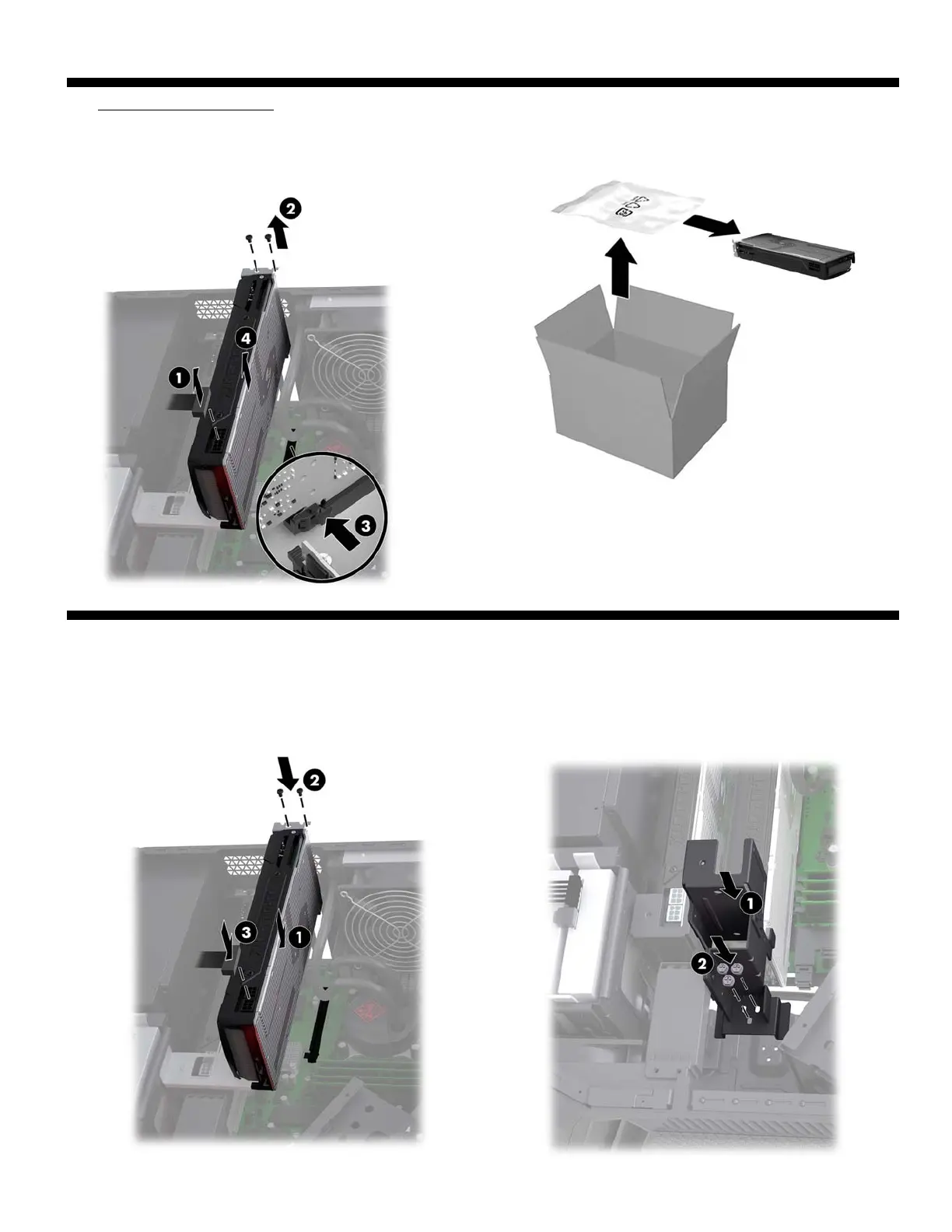
7. Remove the graphics card: Disconnect the power
connector from the top of the card (1). Remove the two
screws from the end of the card (2). Pull the PCIe socket
latch (3), and then lift the graphics card up and out of
the socket (4).
8. Touch the replacement graphics card bag to the metal
of the computer, and then remove the replacement
graphics card from the bag.
Replacing a graphics card
1. Insert the graphics card into the socket (1), replace the
two screws (2), and then connect the power cable to the
card (3).
2. Place the bracket on the back of the graphics card (1),
and then replace the screws (2).


 To Next Page