6
2. If Necessary, Set Switches or Jumpers on Your Card
3. Before Installing the Card, Verify That Your Printer
Works.
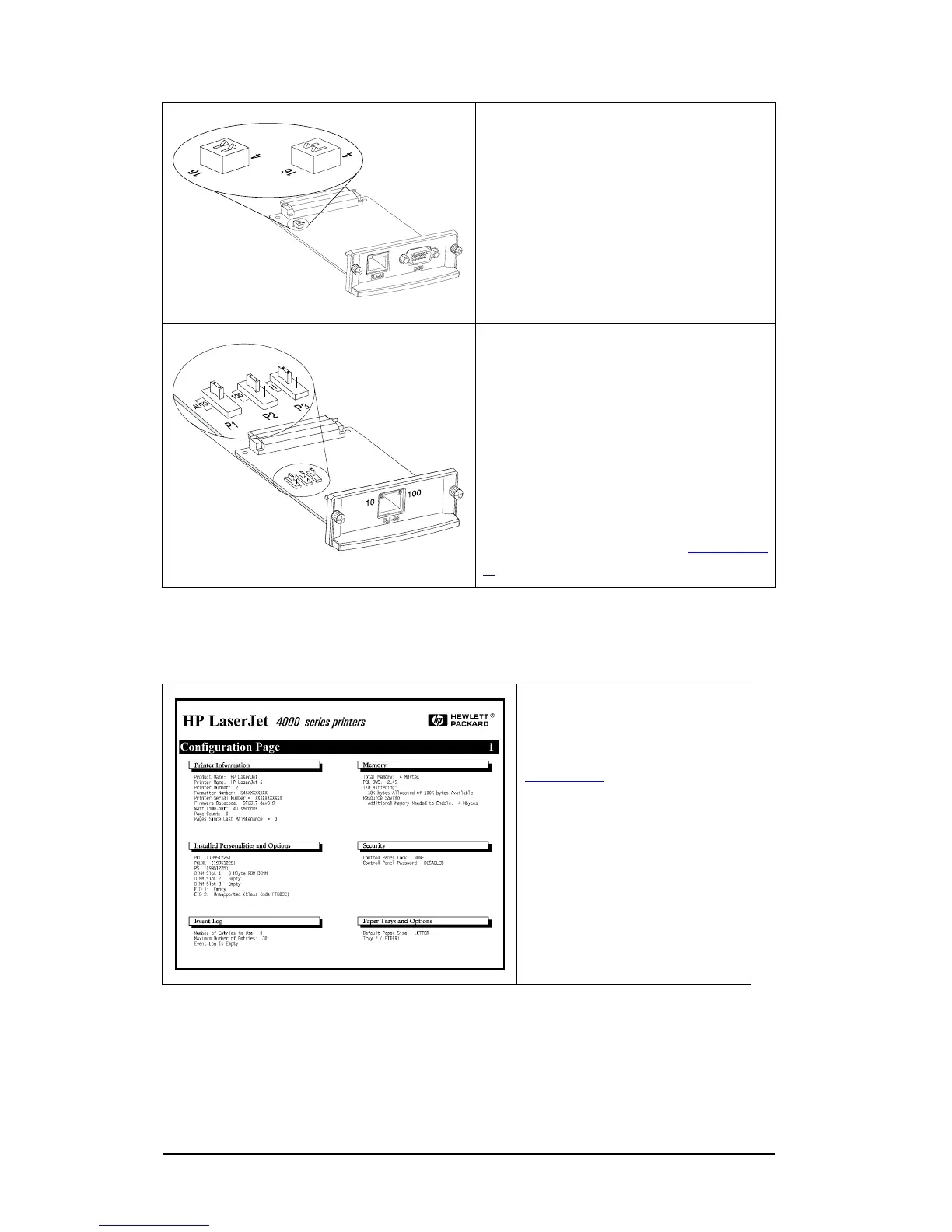
If You Have a Token Ring Card
Token Ring networks operate at
4 Mbps or 16 Mbps. You must set
the Data Rate switch on the card
(J3112A) to either 4 or 16,
depending on your network. If
you don’t know, ask your network
administrator. The factory default
is 16 Mbps.
If You Have a 10/100Base-TX Card
The 10/100TX card (J3113A) is
preconfigured for Autonegotiation
(jumper P1), which means the card
will automatically attempt to connect
to your network using the proper
speed (10 or 100 Mbps) and duplex
mode (Full or Half). In most cases,
you do not need to change the
jumper settings. Refer to Appendix
A for more information.
Print a Printer
Configuration Page.
For instructions, see
Chapter 2
or refer to your
printer manuals.



 To Next Page