3
5
4
EN
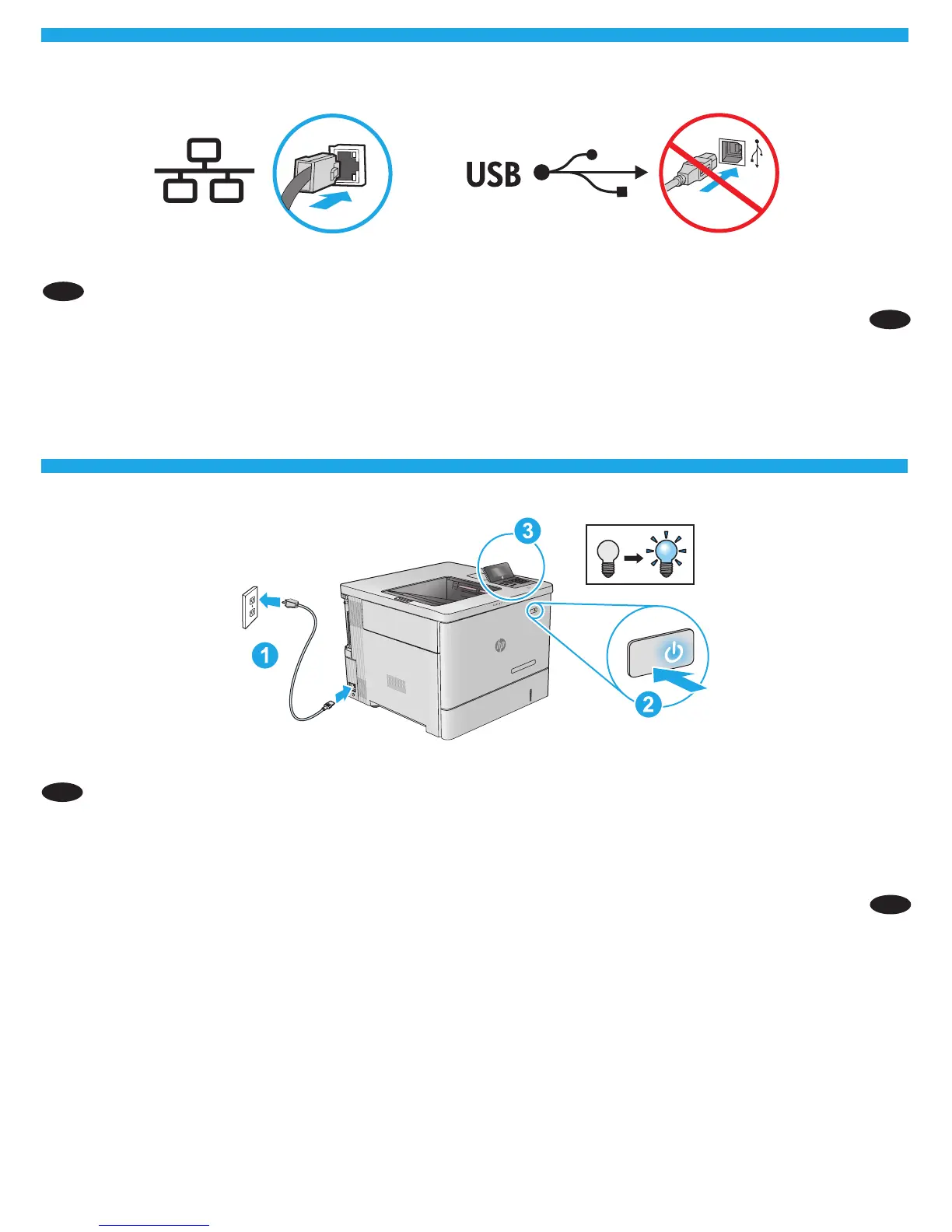
1. Connect the power cable between the product and a grounded ac outlet. 2. Turn on the product. 3. On the control panel, set the language,
the date/time format, and the time zone.
NOTE: For advanced conguration of network-connected products, see the User Guide on the product CD.
CAUTION: Make sure your power source is adequate for the product voltage rating. The voltage rating is on the product label. The product uses
either 100-127 Vac or 220-240 Vac and 50/60 Hz. To prevent damage to the product, use only the power cable that is provided with
the product.
EN
If you are connecting to a network, connect the network cable now. Caution! Do not connect the USB cable now.
HE
.USB
HE
.3.2AC.1
:הרעה
240 220AC127 100:תוריהז
AC



 To Next Page