1.
Internal Microphone
14.
Right Touchpad Button
2.
Volume Mute Button with LED
15.
Optional Biometric Fingerprint Sensor
3.
Volume Down Button
16.
Left Touchpad Button
4.
Volume Up Button
17
Hard Drive Activity LED
5.
Calculator Launch Button
18
Battery Charging LED
6.
RJ-45 Port (NIC)
19.
Power/Standby LED
7.
Integrated Numeric Keypad
20.
Wireless On/Off LED
8.
Integrated Optical Drive
21.
Touchpad with scroll zone
9.
2 USB 2.0 Ports
22.
Power Button with LED
10.
Microphone Jack
23.
HP Info Center Button
11.
Headphone Jack
24.
Wireless On/Off Button with LED
12.
7-in-1 Media Reader
25.
Presentation Mode Button
13.
Stereo Speakers
26.
Ambient Light Sensor
QuickSpecs
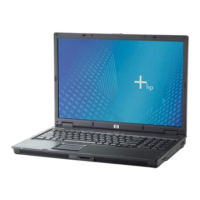
HP Compaq nx9420 Notebook PC
HP Compaq nx9420 Notebook PCHP Compaq nx9420 Notebook PC
HP Compaq nx9420 Notebook PC
Overview
DA - 12427 EMEA — Version 13 — September 6, 2006
Page 1

 Need help?






 To Next Page
 General