Category Description
Ports Audio-in (stereo microphone)
Audio-out (stereo headphone)
Audio-out (stereo headphone with S/PDIF)
Consumer infrared (one in computer base, one in display assembly)
eSATA
High-definition multimedia interface (HDMI) v1.3 supporting 1080p with high-
bandwidth digital content protection (HDCP) key
RJ-11 (modem)
RJ-45 (Ethernet), includes link and activity lights
S-Video-out (include component video support)
USB (3)
VGA (Dsub 15 pin) supporting 1600 × 1200 external resolution @ 75 Hz. Disabled
when connected to devices through the expansion port 3. Hot plug, unplug, and auto
detect for correct output to wide-aspect and standard aspect video.
1394a
2-pin 65-W AC power
Docking Docking support through the expansion port 3. Supports the HP xb3000 Notebook
Expansion Base and the HP Notebook QuickDock.
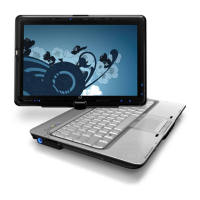
Keyboard/pointing devices 12.1-inch keyboard with embedded numeric keypad
Taps enabled as default
TouchPad with 2 buttons and two-way scroll
Wacom 9.0-mm touch-screen pen
Power requirements 8-cell, 73-Wh, 2.55-Ah Li-ion battery
6-cell, 55-Wh, 2.55-Ah Li-ion battery
4-cell, 37-Wh, 2.55-Ah Li-ion battery
65-W AC adapter with localized cable plug support (2-wire plug with ground pin,
supports 2-pin DC connector)
Security Security cable slot
Fingerprint reader
Operating system Preinstalled:
Windows Vista® Business (32-bit)
Windows Vista Premium (32- and 64-bit)
Windows Vista Ultimate (64-bit)
Serviceability End-user replaceable parts:
AC adapter
Battery (system)
3


 To Next Page
 Loading...