Solution: Turn the computer on.
Cause: The HP All-in-One is not properly connected to the computer.
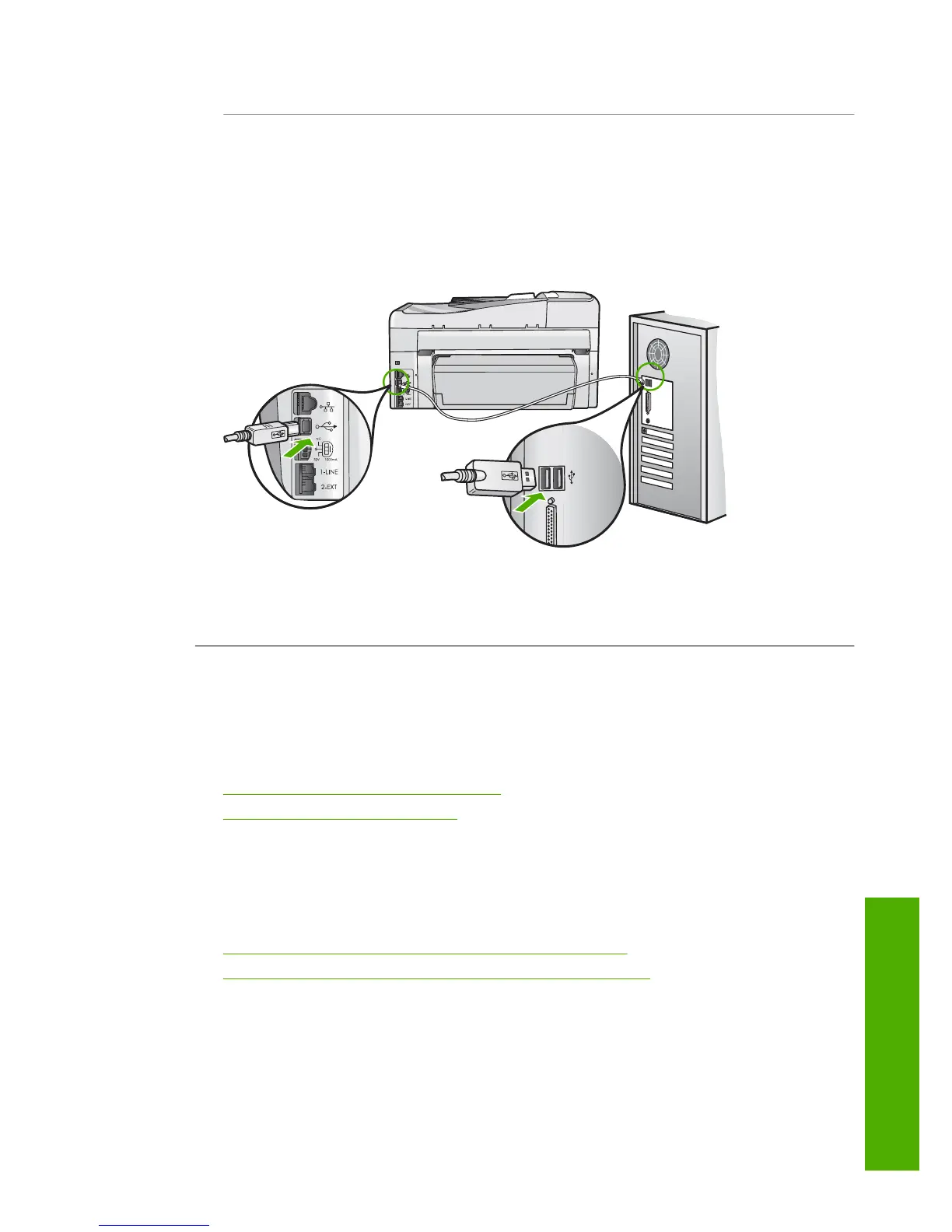
Solution: Check the connection from the HP All-in-One to your computer. Verify
that the USB cable is securely plugged into the USB port on the back of the HP All-
in-One. Make sure the other end of the USB cable is plugged into a USB port on your
computer. After the cable is connected properly, turn the HP All-in-One off and then
on again.
For more information on setting up the HP All-in-One and connecting it to your
computer, see the Setup Guide that came with the HP All-in-One.
Network troubleshooting
This section addresses problems you might encounter while setting up a network.
This section contains the following topics:
•
Wired network setup troubleshooting
•
Wireless setup troubleshooting
Wired network setup troubleshooting
This section addresses problems you might encounter setting up a wired network.
This section contains the following topics:
•
The computer is unable to discover the HP All-in-One
•
The Printer not Found screen appears during installation
The computer is unable to discover the HP All-in-One
Cause: Cables are not connected properly.
Network troubleshooting 183
Troubleshooting



 To Next Page
 Loading...