NOTE: At this time, some portions of the HP Web site are available in English only.
Load media
▲ Do one of the following:
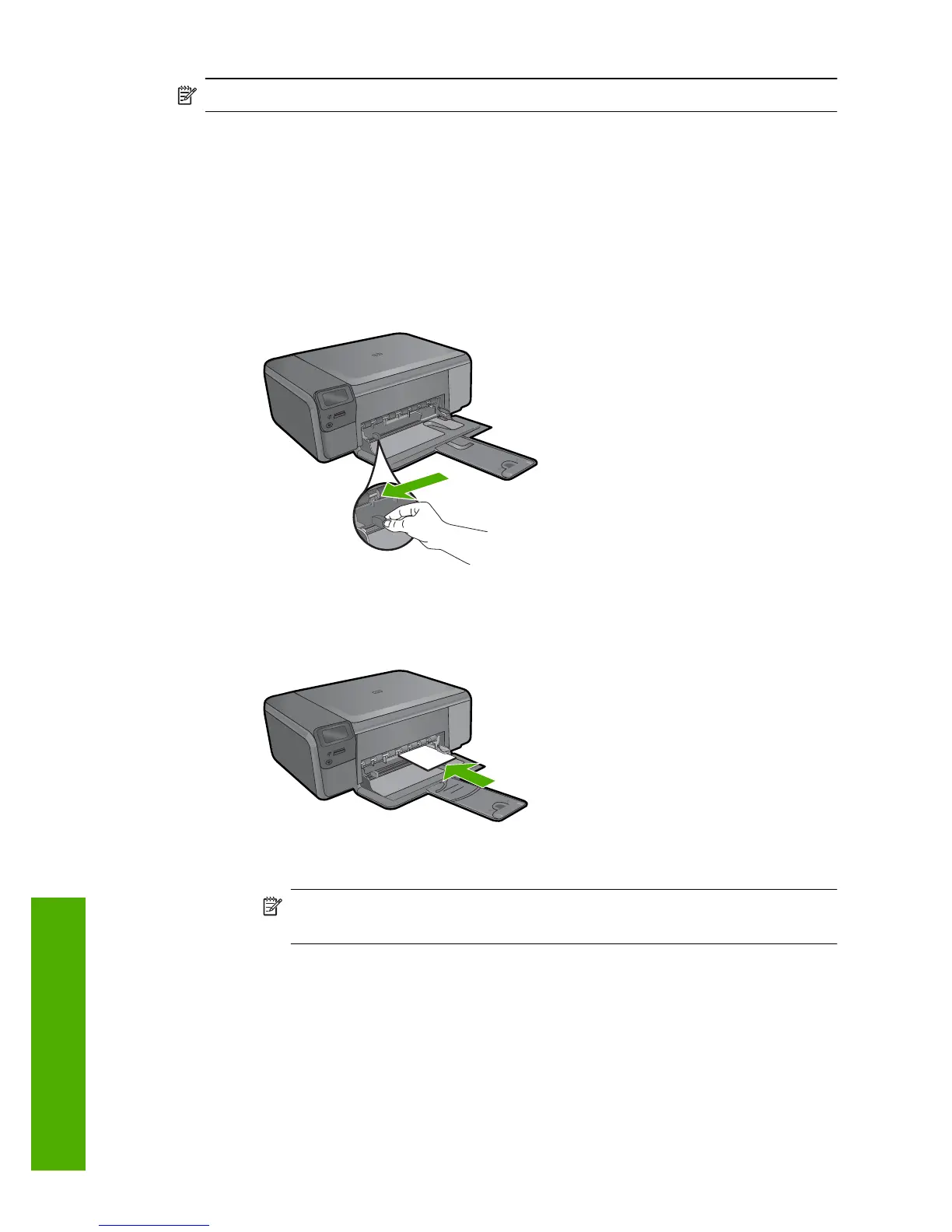
Load small-size paper
a. Lower paper tray.
Slide paper-width guide outwards.
b. Load paper.
Insert stack of photo paper into paper tray with short edge forward and print
side down.
Slide stack of paper forward until it stops.
NOTE: If the photo paper you are using has perforated tabs, load photo
paper so that tabs are closest to you.
Slide paper-width guide inward until it stops at edge of paper.
Chapter 3
10 Paper basics
Paper basics



 To Next Page