b. Select project type.
Press button next to Photo on Home screen.
Press button next to Memory Card Print.
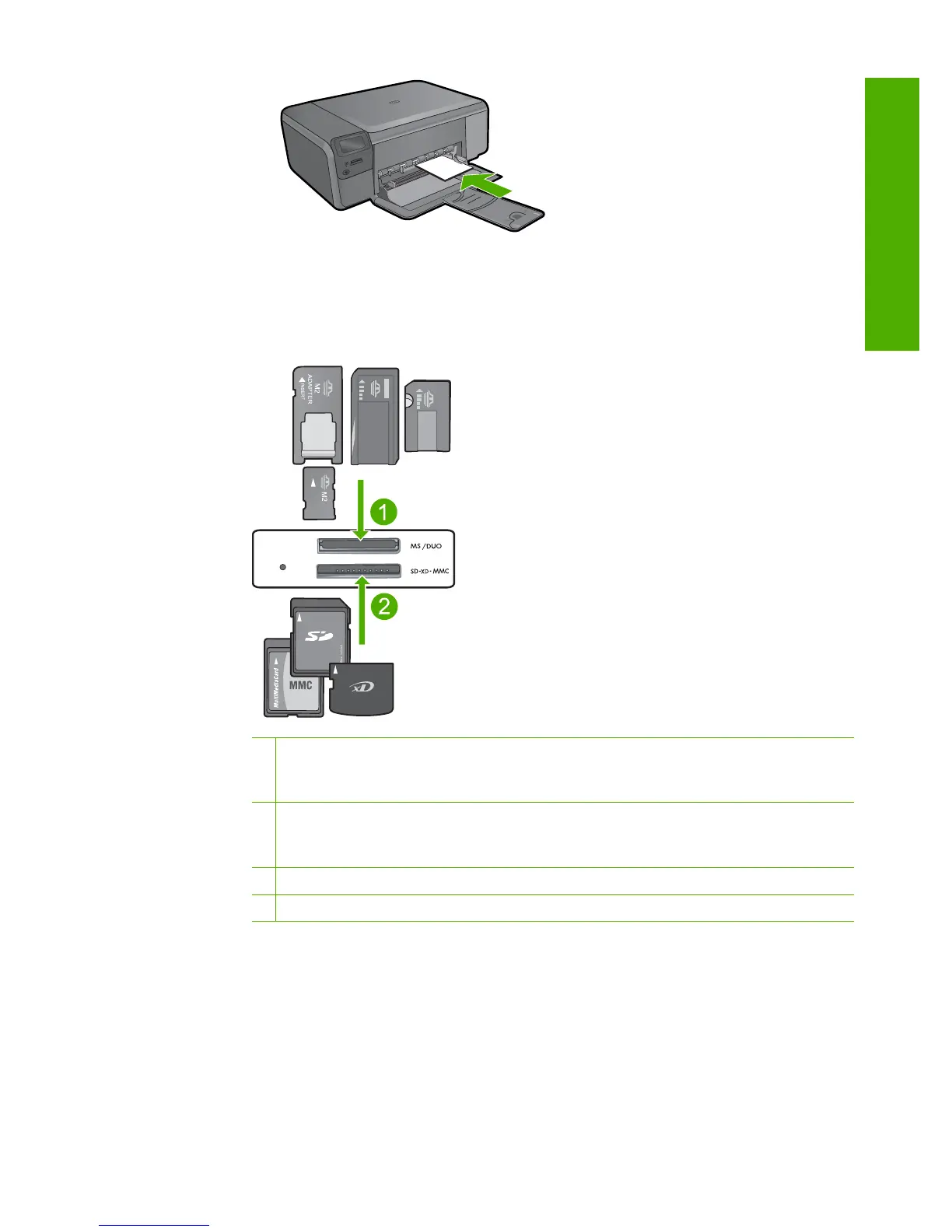
c. Insert memory.
1 Memory Stick, Memory Stick Pro, Memory Stick Select, Memory Stick Magic Gate,
Memory Stick Duo or Pro Duo (adapter optional), Memory Stick Pro-HG Duo (adapter
optional), or Memory Stick Micro (adapter required)
2 MultiMediaCard (MMC), MMC Plus, Secure MultiMedia Card, MMC Mobile (RS-MMC;
adapter required), Secure Digital (SD), Secure Digital Mini, Secure Digital High
Capacity (SDHC), TransFlash MicroSD Card (adapter required), or xD-Picture card
3 CompactFlash (CF) types I and II
4 Front USB port (for storage devices)
d. Select photo.
Press button next to Select.
Press same button to increase number of copies.
Press OK.
e. Print photo.
Press OK.
Print photos 17
Print



 To Next Page