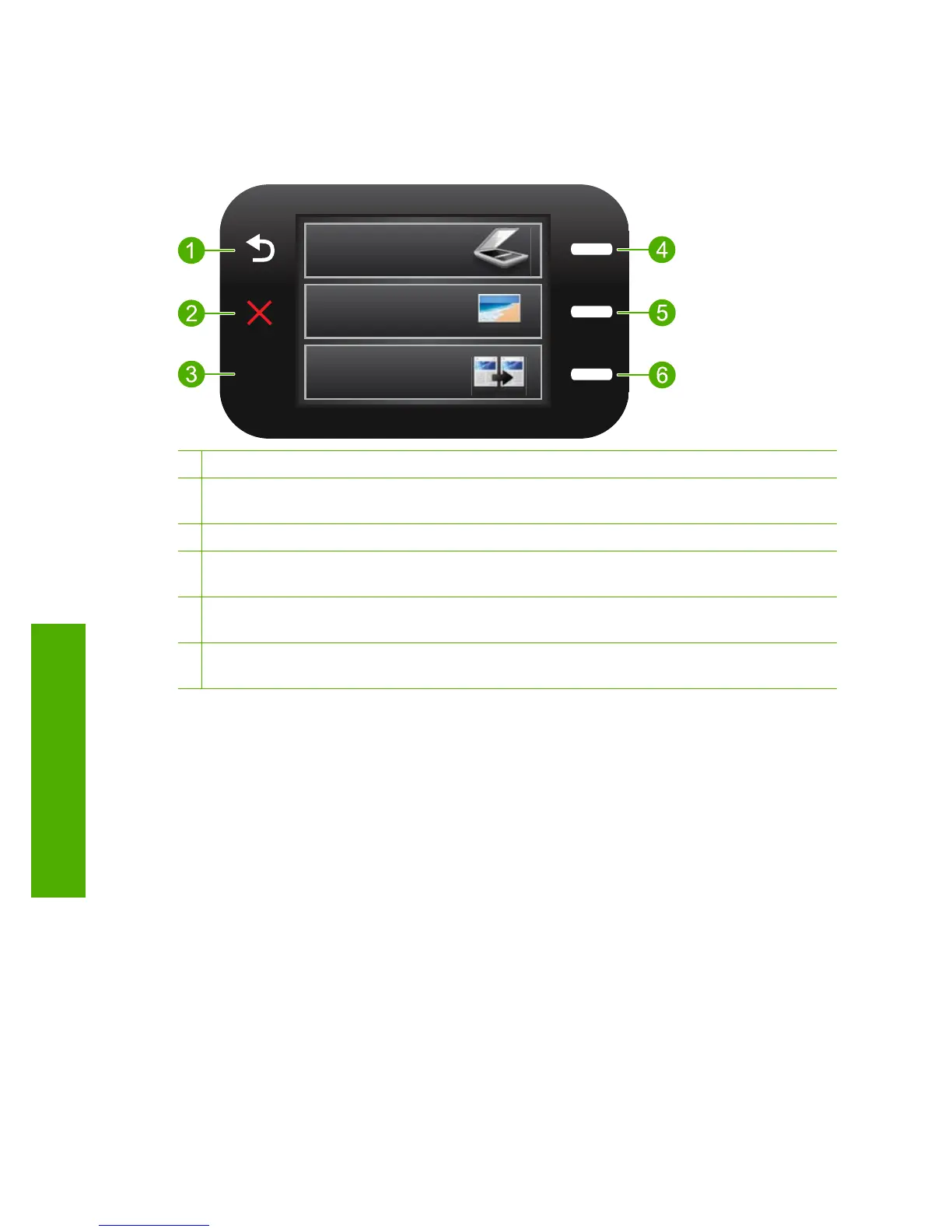
Control panel features
Figure 2-2 Control panel features
2.
1 Back: Returns to the previous screen.
2 Cancel: Stops the current operation, restores default settings, and clears the current photo
selection.
3 OK: Selects a menu setting, value, or photo.
4 Scan: From the Home screen, opens the Scan Menu. When viewing screens other than the
Home screen, selects options related to the current display.
5 Photo: From the Home screen, opens the Photo Menu. When viewing screens other than the
Home screen, selects options related to the current display.
6 Copy: From the Home screen, opens the Copy Menu. When viewing screens other than the
Home screen, selects options related to the current display.
Chapter 2
6 Get to know the HP Photosmart
Get to know the HP Photosmart



 To Next Page