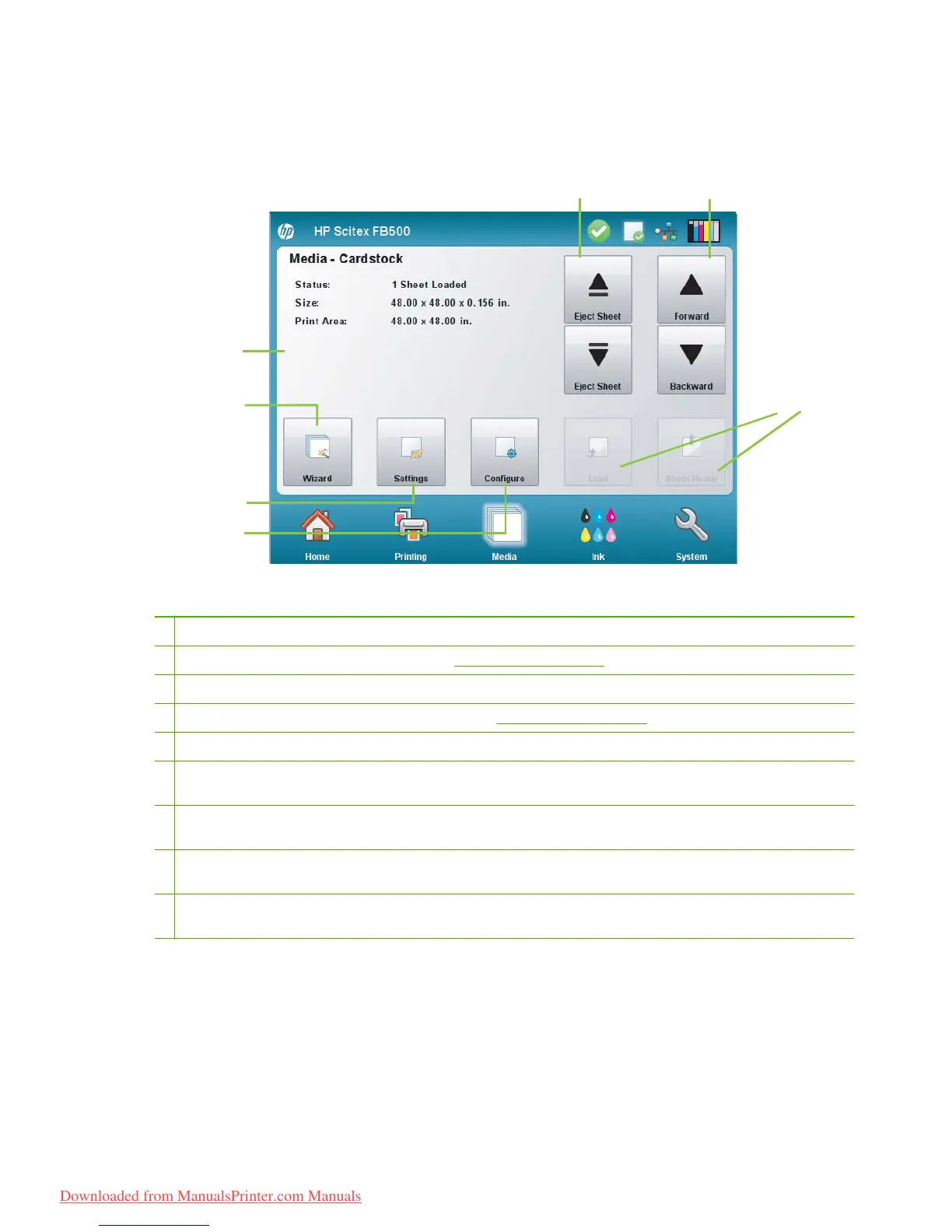
Media page
Figure 6-4 Media page
To switch to the Media page, press the Media icon in the Activity Tray at the bottom of the screen.
1 Media information — media name, size, print area, printable length
2 Media Wizard — displays the Media Wizard. See
Configure media on page 9 for details.
3 Settings — enbles you to adjust media handing and printing settings.
4 Configure — configures the printer for a media type. See
Configure media on page 9 for instructions.
5 Eject Sheet buttons (when sheet fed media is loaded) — ejects the media sheet to the input our output side of the printer.
6 Media advance buttons — press the ▲ button to advance the media forward. Press the ▼ button to reverse the media
back.
7 Advance to cut — when roll fed media is loaded, advances the media toward the output side far enough so that it can be
cut from the supply roll.
8 Load/Unolad — depending on whether media is configured and loaded, loads or unloaded the currently configured
media.
9 Sheet Ready — when a sheet of the currently configured media is in the load position, press this button to continue the
load process.
34 Chapter 6 Use the control panel ENWW
Downloaded from ManualsPrinter.com Manuals



 To Next Page