3.
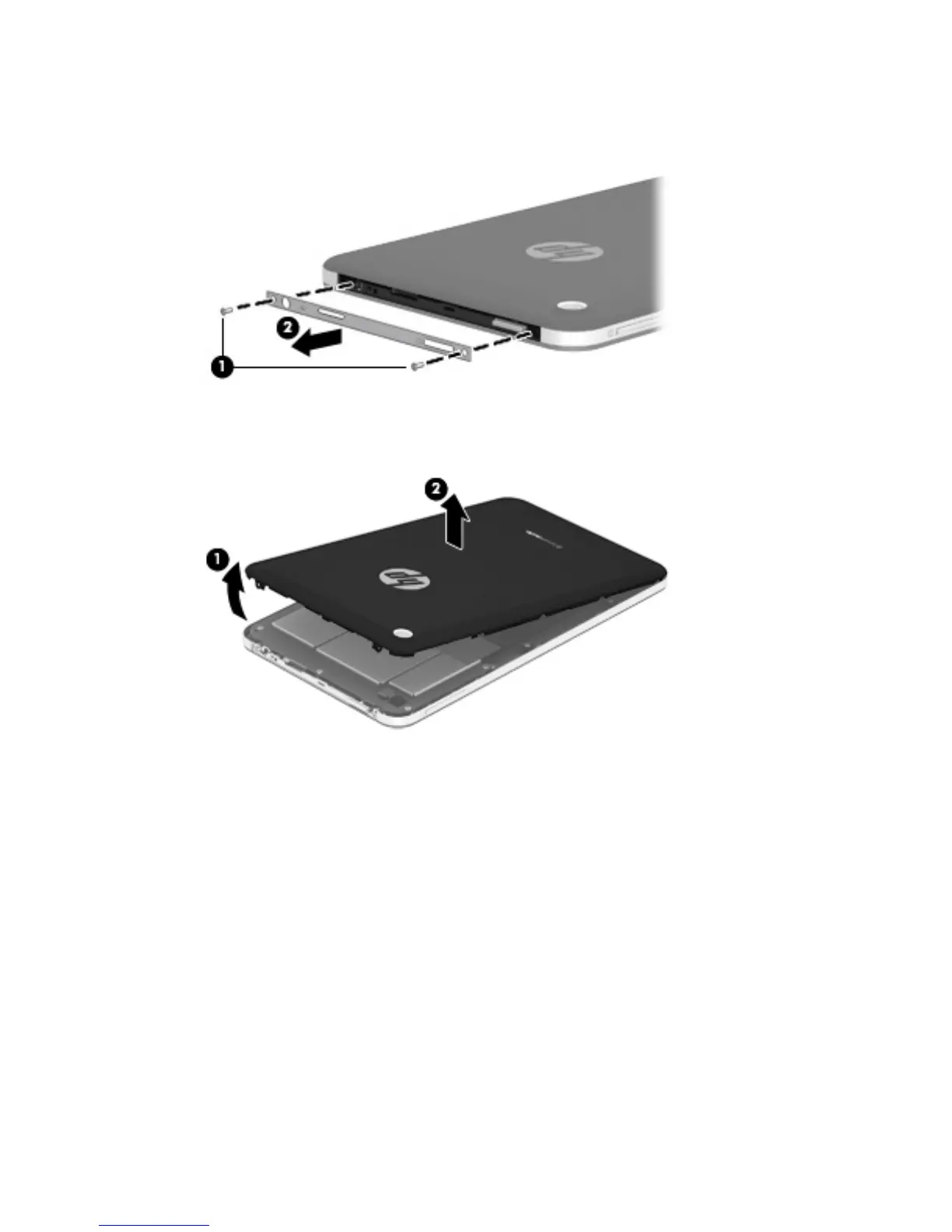
Remove the I/O bezel (2).
The I/O bezel is available using spare part number 731532-001.
4. Separate the top edge (1) of the rear cover from the display assembly.
5. Remove the rear cover (2).
Reverse this procedure to install the keyboard.
Removal and replacement procedures
15


 To Next Page