2.
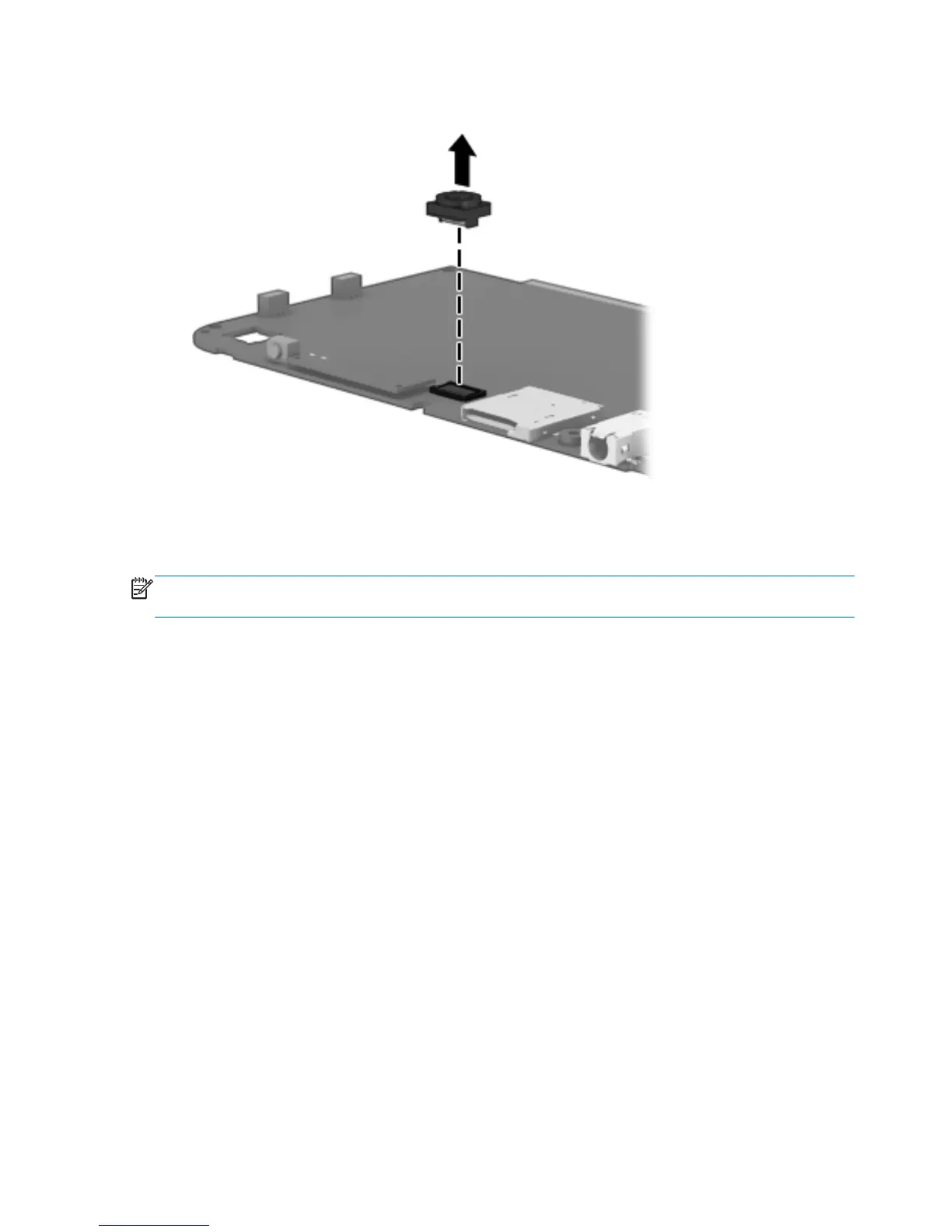
Disconnect the front-facing webcam from the system board.
3. Remove the front-facing webcam.
Reverse this procedure to install the webcams.
NOTE: When installing the front-facing webcam, note that the connector is keyed and connects to the
system board only one way.
22 Chapter 4 Removal and replacement procedures preliminary requirements


 To Next Page