Page 21 of 24 Joe Conforti
– Avid Technology – September 14th, 2012
Rev A - Initial Public Release
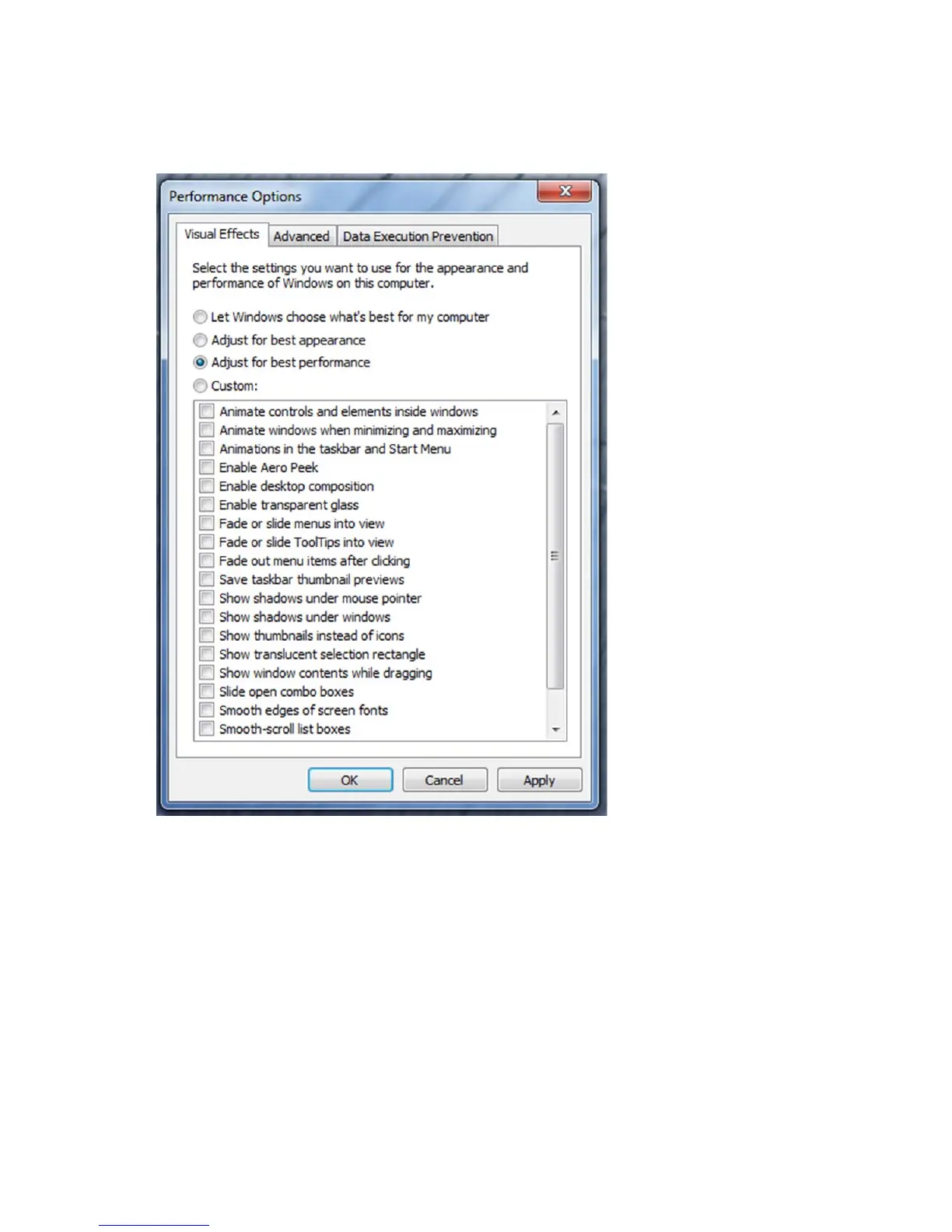
8. Under the “Visual Effects” tab select the “Adjust for best performance” selection. (Picture below).
9. Depress the “Apply” button
10. Reboot Windows
11. Required Windows visual performance settings for Avid environments are now complete.



 To Next Page