To replace the component, reverse the removal procedure.
Removing and replacing the 8SFF SAS/SATA or NVMe drive backplane
Procedure
1. If installed, remove the bezel.
2. Power down the server.
3. Remove all power:
a. Disconnect each power cord from the power source.
b. Disconnect each power cord from the server.
4. Do one of the following:
• Extend the server from the rack.
• Remove the server from the rack.
5. Remove the access panel.
6. If installed, remove the air baffle.
7. Remove all the fans.
8. Remove all installed 8SFF drives.
9. Disconnect all cables from the 8SFF drive backplane.
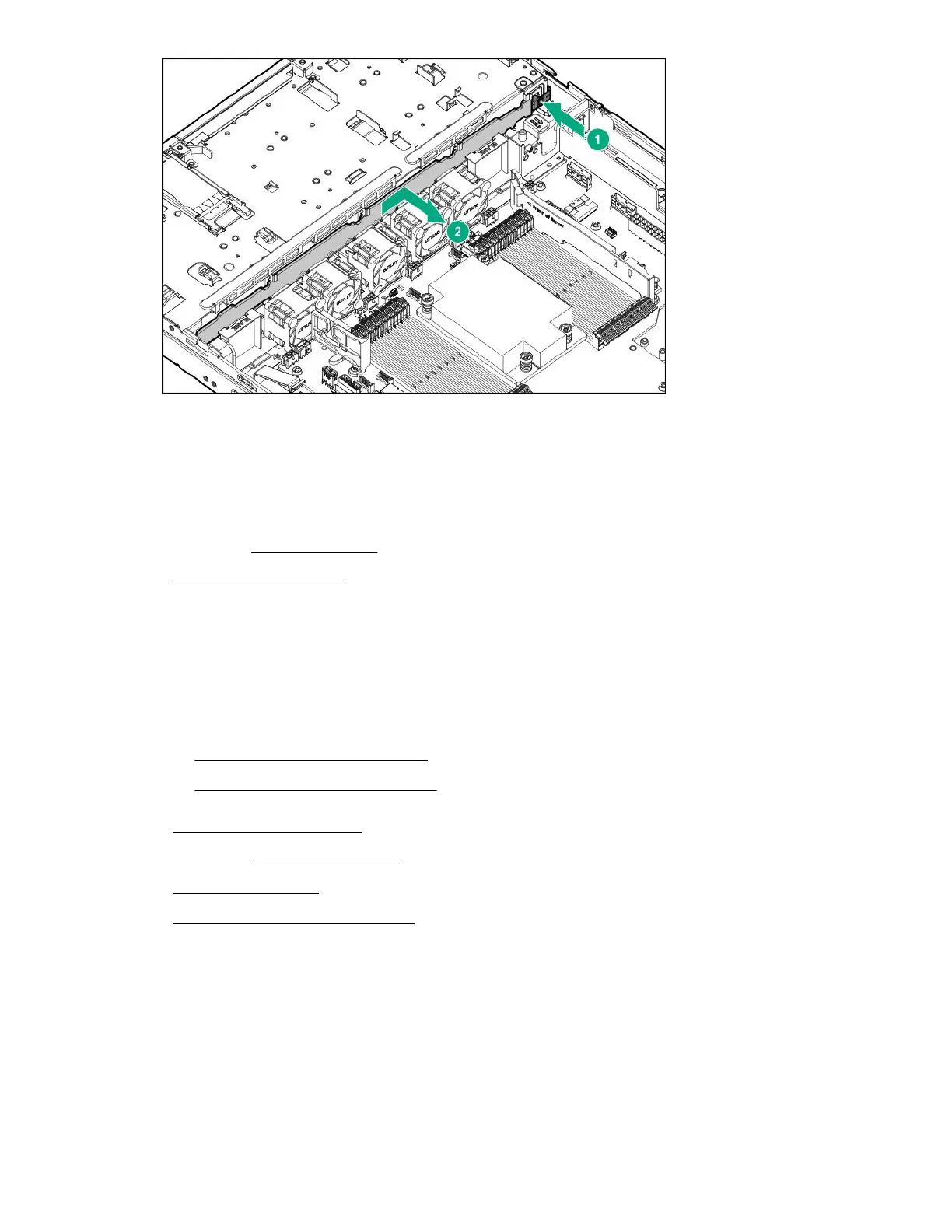
10. Remove the 8SFF drive backplane.
a. Pull up the latch.
b. Slide the backplane and remove it from the chassis.
Removal and replacement procedures 43

 To Next Page
 Loading...