Hardware options installation 122
7.
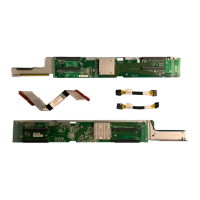
Connect and route the SATA cables from the M.2 SSD enablement board to the system board.
8. Install the air baffle (on page 35).
9. Install the access panel (on page 33).
10. Do one of the following:
o If the server is in a tower configuration, return the server to an upright position.
o If the server is in a rack configuration, slide the server into the rack.
11. Connect each power cord to the server.
12. Connect each power cord to the power source.
13. Power up the server ("Powering up the server" on page 30).
14. Do one of the following:
o For tower models, install the tower bezel (on page 31).
o For rack models, install the security bezel ("Security bezel option" on page 50).
Installing an SSD module
1. Back up all server data.
2. Do one of the following:
o For tower models, open and remove the tower bezel ("Remove the tower bezel" on page 31).
o For rack models, if installed, remove the security bezel ("Remove the security bezel (optional)"
on page 31).
3. Power down the server (on page 30).
4. Remove all power:
a. Disconnect each power cord from the power source.
b. Disconnect each power cord from the server.
5. Do one of the following:
o For tower models, place the server on a flat, level surface with the access panel facing up.
o For rack models, extend the server from the rack (on page 34).
6. Remove the access panel (on page 32).
7. Remove the air baffle (on page 34).


 To Next Page
 Loading...