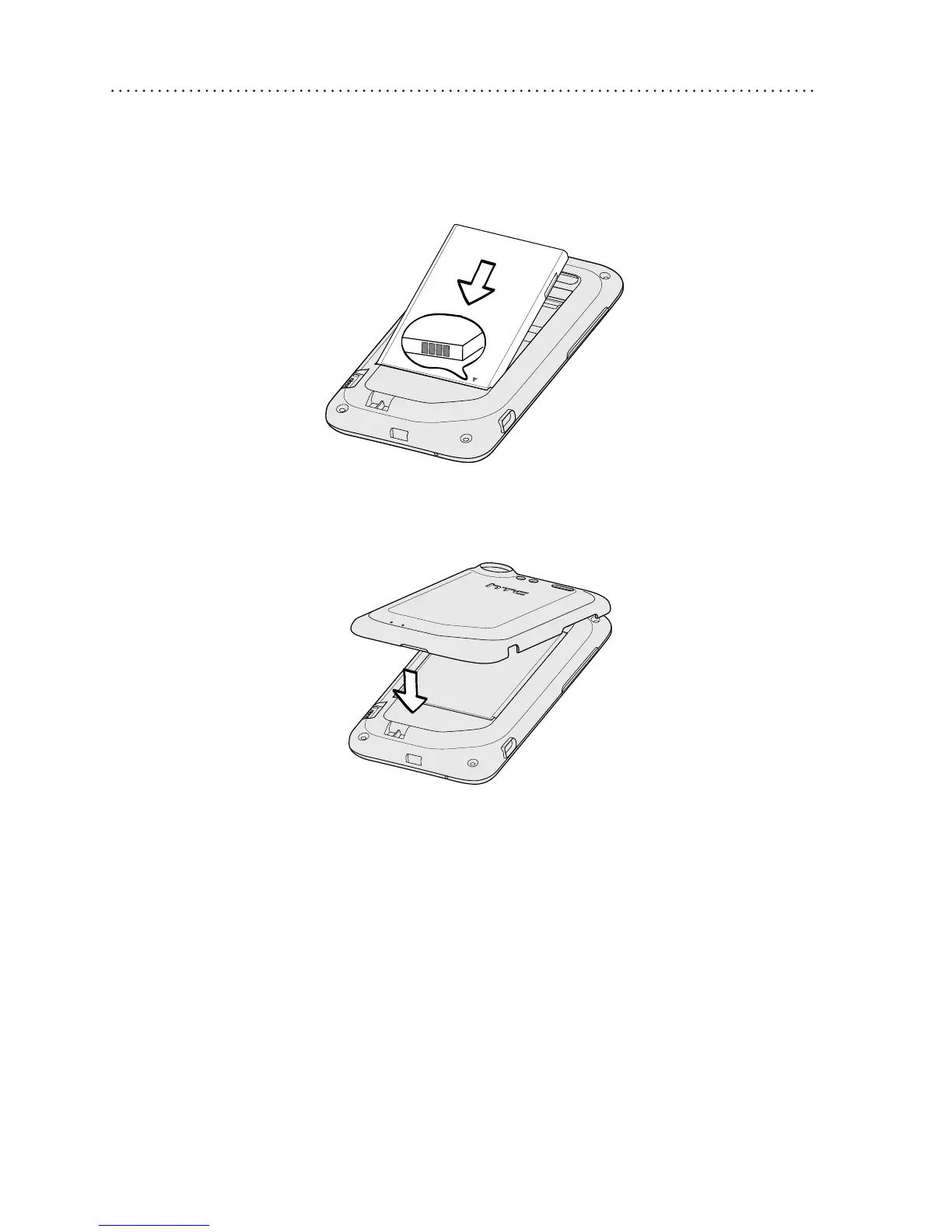
Inserting the battery
1. Insert the battery (with its exposed copper contacts
rst) into the battery compartment.
2. Align the back cover onto the phone’s top panel.
3. Press all sides of the back cover towards the phone.
You’ll hear clicks when the small tabs underneath the
back cover are locked in place.
Charging the battery
Use the supplied power adapter and USB cable to charge
your phone.










 To Next Page