Sending an email message
1. From the Home screen, tap
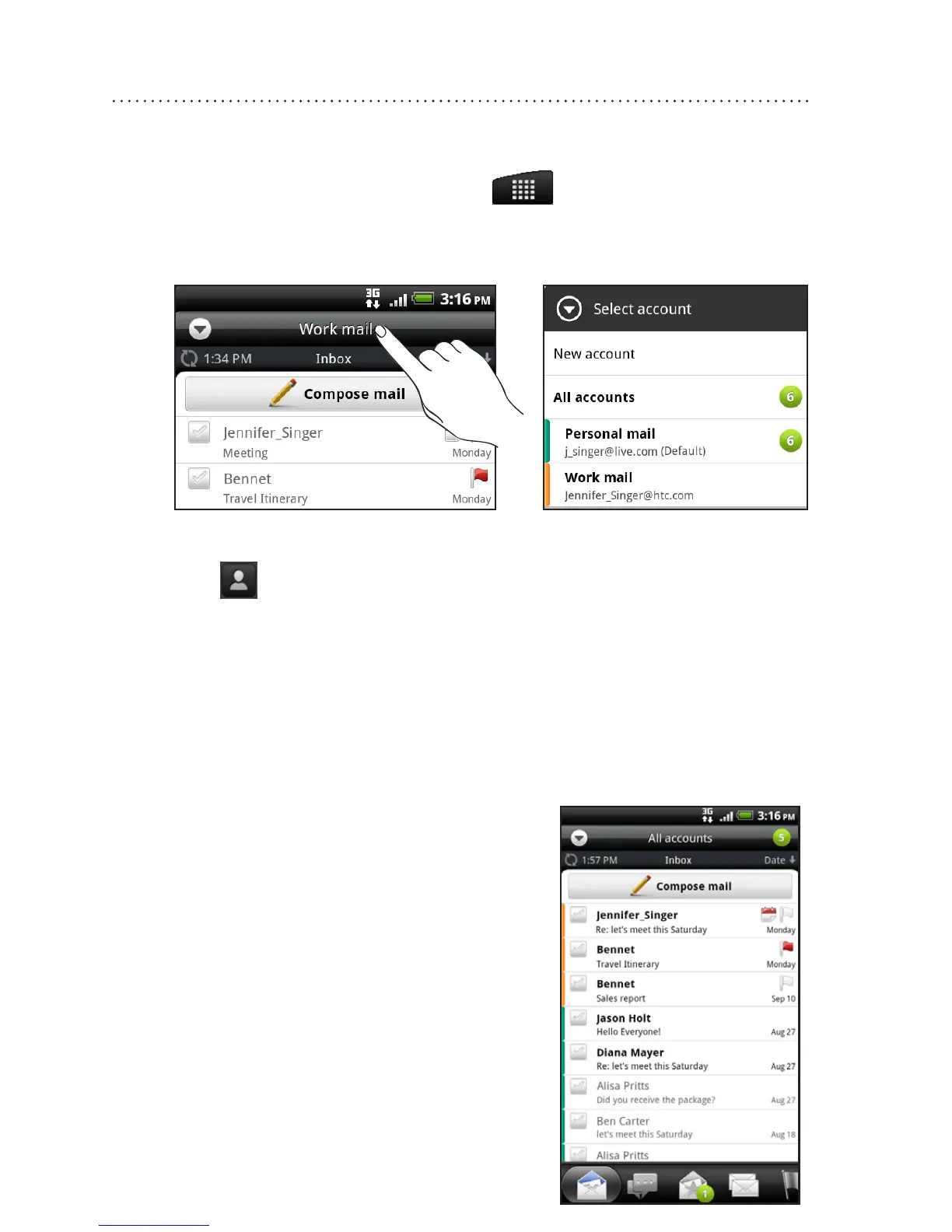
> Mail .
2. If you have several email accounts, choose an account
you want to use.
3. On the email account Inbox, tap Compose mail .
4. Tap
. Then choose the email addresses of contacts to
send to.
You can also directly enter email addresses in the To
eld, separating them with a comma.
5. Enter the subject, and then enter your message.
6. Tap Send .
Unied inbox for all your email
accounts
View email from all your accounts
just in one place without having to
switch to dierent accounts.
Just tap the bar that shows the
current email account, and then
tap All accounts .










 To Next Page