
EasyManua.ls Logo

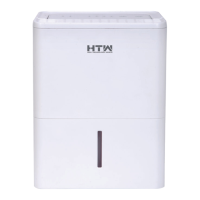
HTW X12 - User Manual

HTW X12
14 pages
Print Icon
To Next Page IconTo Next Page
Loading...
EN
OWNER’S AND INSTALLATION MANUAL
Please, read carefully this manual before using the product.
Thank you
X12
HTWDB12X12R29
TYPE

Questions and Answers

  • J
    Jennifer SanchezAug 3, 2025
    What to do if my HTW X12 does not start?
    • N
      Nicholas ShawAug 3, 2025
      If your HTW Humidifier isn't starting, ensure the mains plug is correctly connected. Then, check the house fuse or circuit breaker. Also, the humidifier might not start if it has reached the preset humidity level, the tank is full, or the tank isn't properly positioned.
  • H
    Heather DanielAug 7, 2025
    Why is my HTW X12 Humidifier not drying the air properly?
    • C
      Carol WalterAug 7, 2025
      If your HTW Humidifier isn't drying the air as expected, several factors could be at play. It may simply need more time to remove the moisture. Ensure that curtains, blinds, or furniture aren't blocking the appliance. The humidity level might be set too low. Check that all doors, windows, and other openings are securely closed. Room temperature could be too low (below 5°C or 41°F). Finally, check for sources of water vapor in the room, like a kerosene heater.
  • M
    myerstyroneAug 12, 2025
    How to stop water leaking from my HTW X12 onto the floor?
    • R
      Robert DavisAug 12, 2025
      If you find water on the floor near your HTW Humidifier, check the drainage tube connection to ensure it's not loose. Also, verify that the drainage opening cover is properly replaced if you're using the tank to collect water.
  • J
    jasmine04Aug 17, 2025
    Why is my HTW Humidifier making a loud noise?
    • W
      williamsjodiAug 17, 2025
      A loud noise during operation of your HTW Humidifier may be due to a clogged air filter. Another reason may be that the appliance is tilted instead of upright, or the floor surface isn't level. Check these issues to resolve the noise.
  • J
    Joseph WarnerAug 22, 2025
    What to do if the auto defrosting LED is flashing on my HTW Humidifier?
    • R
      Rhonda DavisAug 22, 2025
      If the auto defrosting LED is flashing on your HTW Humidifier, it indicates a room temperature sensor error or an evaporator temperature sensor error. Unplug the appliance, check for any obstructions, and then plug it back in. If the error persists, call your retailer for service.
  • B
    Brenda LynchAug 28, 2025
    Why is there frost on the coils of my HTW X12?
    • L
      linda53Aug 28, 2025
      The appearance of frost on the coils of your HTW Humidifier is normal. The appliance is equipped with an auto-defrosting feature to remove any frost buildup.

Summary

Safety Information

Symbols

Technical Data

Description of Components

Using the Dehumidifier

Appliance Placement

Instructions for placing the appliance on a dry, level floor with adequate air space.

Starting and Switching Off

Guidance on plugging in, turning on, selecting modes, and powering down the appliance.

Restart Operation Delay

The appliance cannot be restarted within 3 minutes of being switched off to protect the compressor.

Full Tank and Auto Shut-off

Explanation of the full tank LED indicator and automatic shutdown when the tank is full.

Auto Defrost Function

Process for removing frost buildup on evaporator coils by cycling the compressor and fan.

Automatic Restart

Appliance resumes operation with previous settings after an unexpected power interruption.

Cleaning and Maintenance

Emptying Condensation Water

Instructions for emptying the water tank or using continuous drainage.

Filter Removal and Cleaning

Procedure for removing, washing, and drying the air filter to maintain performance.

Product Care Guidelines

Advice on cleaning the appliance exterior and ventilation grilles with a soft cloth.

Troubleshooting Guide

Warranty and Liability

HTW X12 Specifications

General IconGeneral
BrandHTW
ModelX12
CategoryHumidifier
LanguageEnglish