Need help?
Do you have a question about the Huato S1500 Series and is the answer not in the manual?
General overview of the S1500 series portable paperless data logger and its capabilities.
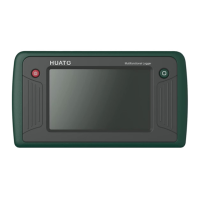
Visual description and physical layout of the data logger device, including its screen and ports.
Key functionalities and capabilities of the S1500 series logger, such as multi-channel input and rich interfaces.
Overview of different S1500 series models and their specific channel configurations for thermocouple inputs.
Explains the different operational modes of the device, including handheld and wall-hanging configurations.
Identifies and details the function of each button and external port on the data logger.
Step-by-step guide for basic operation, including power on, configuration, and starting data recording.
Details the general technical parameters of the device, such as dimensions, display, storage, and connectivity.
Specifies the technical details for various input signal types, including thermocouple and thermistor measurements.
Important notes on operating the device, handling data, avoiding damage, and proper maintenance.
Explains wiring methods for various input types such as RTD, thermocouple, voltage, current, and thermistor.
Describes the icons and indicators on the device's main menu bar for status and navigation.
Overview of the device's primary screen, displaying function icons for various operations.
Explains how to view data in a digital format, including channel information and alarm status.
Explains the bar graph display interface, its arrangement modes, and how values are represented.
Details how to view and configure real-time data curves, including unit and channel selection.
Explains the process of selecting and viewing historical data trends from recorded files.
Guides on initiating, stopping, and configuring recording sessions with options for delayed start and auto-stop.
Covers managing recorded files, operation logs, and alarm logs, including export functions.
Details the main section for configuring input channels, selecting signal types, and setting measurement parameters.
Explains the step-by-step process for setting up individual channel configurations and parameters.
Details how to set alarm types (HH, HI, LO, LL) and their value ranges for the current channel.
Outlines the process for calibrating device measurements using slope and intercept values.
Provides system details, version info, and instructions for upgrading device firmware.
Covers configuring time format, time settings, backlight, and screen brightness.
Details setting sampling intervals, selecting storage locations, and managing stored data.
Explains how to configure Ethernet and Wi-Fi connections, including DHCP and security settings.
Guides on accessing and operating the device remotely via a web interface for configuration and monitoring.
Guidelines for cleaning the screen, protective sleeve, and avoiding sun exposure to maintain the device.
The HUATO S1500 series is a portable paperless data logger designed for versatile and intelligent data acquisition. This device offers a comprehensive solution for monitoring various environmental and industrial parameters with high accuracy and extensive data management capabilities.
The S1500 series serves as a multi-channel data logger, capable of simultaneously detecting and recording data from up to 16 universal input channels. It supports a wide array of signal types, including DC voltage, DC current, thermocouples (K, J, E, T, R, S, N, B, C types), RTD (Resistance Temperature Detector), NTC (Negative Temperature Coefficient) thermistors, frequency, and pulse counts. This broad compatibility makes it suitable for diverse applications requiring precise measurement of temperature, current, voltage, and event counting.
The device features a 5-inch capacitive touch screen with an 800x480 resolution, providing a vivid and intuitive display of collected data. Users can visualize data in multiple forms, including digital displays, bar graphs, real-time curves, and historical curves. This allows for immediate monitoring and in-depth analysis of trends and anomalies.
For data storage and transfer, the S1500 is equipped with rich peripheral interfaces, including USB, TF card, and RJ45. These interfaces enable users to export recorded files to a U disk or external TF card, facilitating easy data backup and transfer. Additionally, the RJ45 interface supports real-time data monitoring via a web interface, allowing for remote access and control. The device also offers optional WIFI and Bluetooth connectivity for enhanced flexibility in data communication.
The S1500 supports various recording modes to suit different monitoring needs, such as immediate recording, timing recording, and timing stop. This intelligent recording functionality ensures that data is captured efficiently and according to specific schedules. The device boasts a large data storage capacity, with a single record file capable of storing up to 100,000 records, and a total storage capacity of at least 8 million records. This ensures ample space for long-term data logging without frequent data offloading.
The S1500 is designed for ease of use, offering both handheld and wall-hanging modes. In handheld mode, users can conveniently carry the device for on-site measurements. For continuous monitoring, it can be suspended on a wall using the two hanging holes on its back. A tabletop kickstand is also integrated, allowing the device to stand on a desktop for stable operation.
The device's operational steps are straightforward: power on, configure channels, confirm configuration, start recording, view data in digital/bar-chart/real-time curve interfaces, and finally, stop recording and export data. Channel configuration is crucial before recording to ensure accurate data display.
The main interface presents eight function icons: "Digits" for digital display, "Bars" for bar chart screen, "Real-time" for real-time curve, "Sessions" for historical curve, "Start Logging" for recording control, "Storage" for data management, "Channel Settings" for input configuration, and "System" for device settings.
The digital display interface offers three arrangement modes (2x4, 3x4, 4x4) that automatically adjust based on the number of active channels. It shows channel numbers, corresponding values, units, and alarm statuses (HH, HI, LO, LL). Alarms are indicated by red marks, with HH and LL alarms flashing. Clicking on a channel provides detailed information, including range limits, real-time value, min/max/average values, and alarm types.
The bar chart screen displays channel numbers, real-time values, units, signal limits, and alarm statuses. Values within limits are blue, while those exceeding limits turn red. If multiple pages of data are displayed, small circles at the bottom indicate the current page, and an arrow allows navigation between pages.
The real-time curve interface allows users to select units and channels for display. Up to six channels can be viewed simultaneously. The start/pause icon controls the real-time update of the curve. The historical curve interface enables users to select record files, units, and channels, and to set start/end times for data query.
Channel settings allow users to configure each channel individually, selecting signal type, measurement type, and setting alarms and calibration parameters. The device supports factory calibration and allows for custom slope and intercept adjustments.
System settings include options for system information (serial number, hardware/software versions, storage details), system display (time format, backlight settings), sampling and storage (sampling interval, storage location, data deletion), and network settings (Ethernet and WiFi configurations). The device also supports program upgrades, ensuring it stays up-to-date with the latest features and improvements.
Daily maintenance of the S1500 is simple and designed to ensure its longevity and performance. For cleaning the display screen, a soft cloth should be used to gently wipe away any foreign matter. Similarly, any residual foreign matter on the protective sleeve can be removed with a soft cloth and mild detergent.
To prevent damage and discoloration, the device should not be placed under direct sunlight for extended periods. It is also important to avoid blocking the cold junction compensation holes, as this can affect the accuracy of data acquisition. When connecting signal wires, users should follow the wiring diagram carefully, paying attention to positive and negative poles.
The device's waterproof grade is IP34, meaning it is protected against splashes of water. However, if moisture is present on the shell, it is crucial not to connect the logger with USB to prevent short circuits and potential damage. The S1500 uses an ABS engineering fireproof plastic shell for protection against acid, alkali, and other chemicals. In case of a malfunction, repairs should only be carried out by authorized professionals. Users should not attempt to repair or refit the device themselves. The 9V alkaline battery included with the instrument is not rechargeable, and short circuits should be avoided to prevent danger. Proper disposal of waste batteries is recommended to protect the environment.
Regularly checking the internal storage and deleting old data is advised, especially when the storage prompt indicates insufficient space. If the storage becomes full, the oldest recorded data will be overwritten by new data. When the power is below 10%, the device will prompt the user to charge, and it is recommended to turn off the equipment when not in use for extended periods. After turning off the device, a brief wait of 3 seconds is recommended before powering it on again.
 General
| Measurement Parameters | Temperature, Humidity |
|---|---|
| Humidity Range | 0% to 100% RH |
| Humidity Accuracy | ±3% RH |
| Logging Interval | 1 second to 24 hours |
| Protection Class | IP65 |
| Resolution (Temperature) | 0.1°C |
| Resolution (Humidity) | 0.1% RH |
| Communication Interface | USB |
| Temperature Accuracy | ±0.3°C |
| Battery Life | Up to 1 year |
| Operating Environment | 0% to 95% RH |

 To Next Page