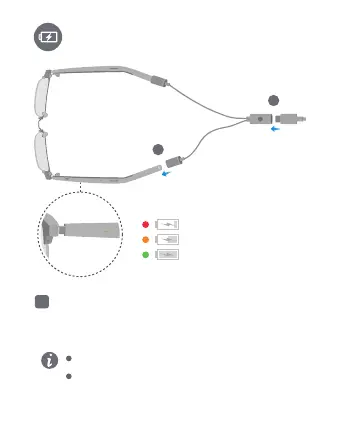
Charging
Do not charge the eyewear while you are wearing it. Do
not excessively bend or pull the charging converter.
The eyewear will enter low power mode if left idle for
more than 3 minutes. The eyewear will automatically
exit low power mode when you put it on or charge it.
2
1
1. Connect one end of the charging converter with the
charging port to a USB-C charging cable.
2. Connect the other end of the charging converter to
the two arms to charge the eyewear. Make sure
that the indicators on the arms are on.
EN



 To Next Page