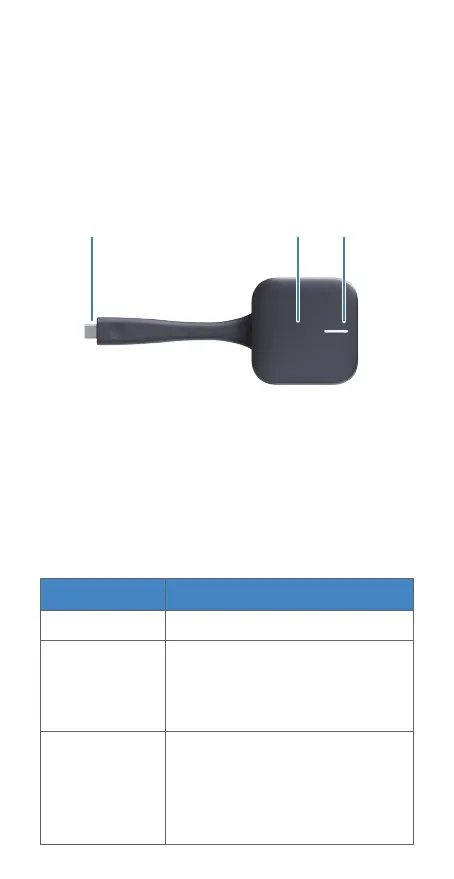
Type-C Connector Button
LED Indicator
• Type-C Connector
Used to connect IdeaShare Key to an endpoint
or computer.
• LED Indicator
Appearance
The USB Type-C IdeaShare Key (IdeaShare Key for
short) works with endpoints to perform wireless
projection, enabling content sharing between
endpoints and computer/mobile devices. The
following uses a computer as an example.
• Button
Used to start or stop video/audio sharing from a
computer to an endpoint.
Not in the working state.
Indicator
IdeaShare Key Status
O
Blinking white
(once per
second)
•
Inserted in an endpoint and
is pairing or upgrading.
•
Inserted in a computer and
is connecting to an endpoint.
•
Inserted in an endpoint and
is paired or upgraded.
•
Inserted in a computer and
connected to an endpoint.
•
Screen sharing is stopped.
Steady white


 To Next Page