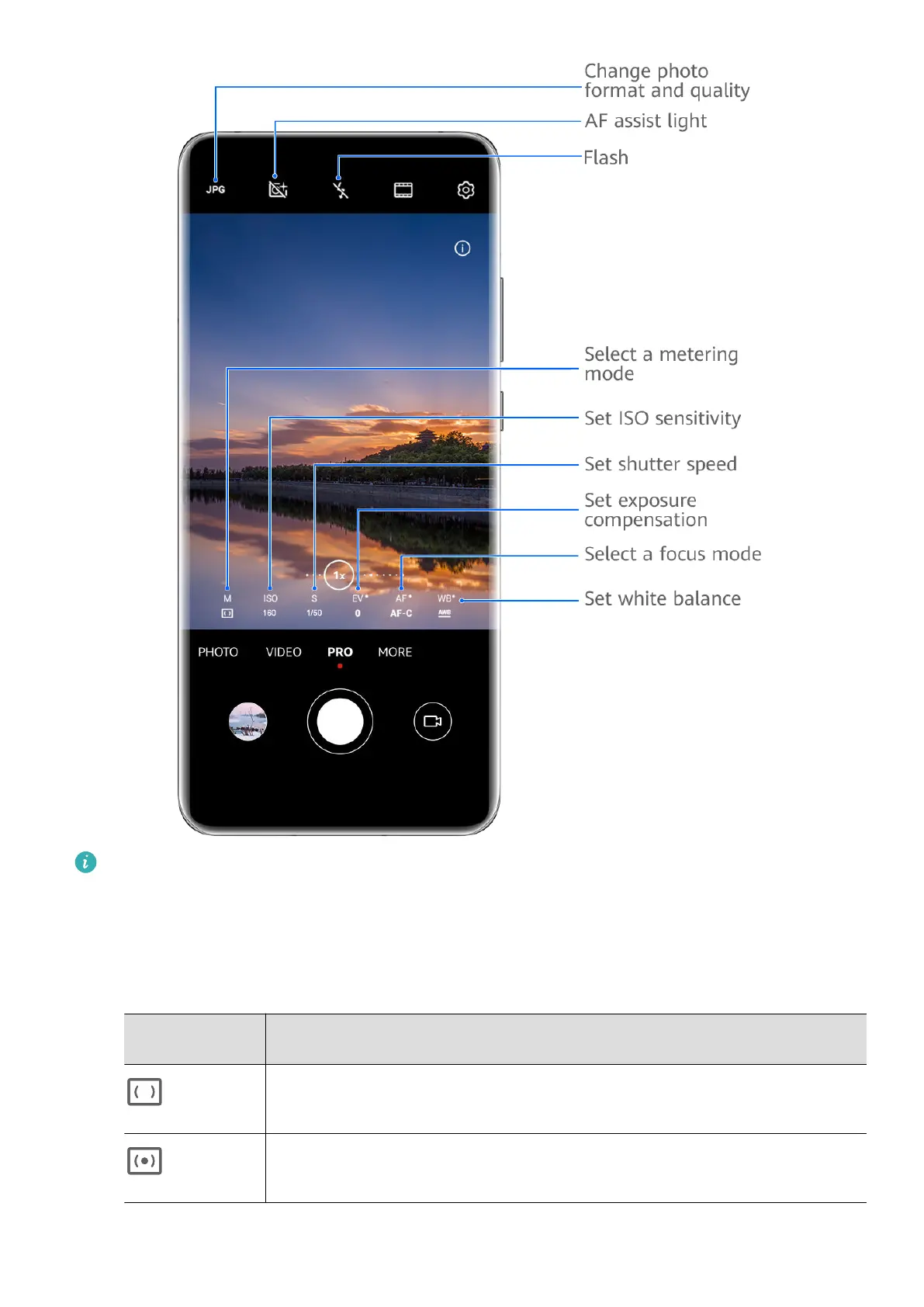
The gures are for reference only.
1 Open Camera or go to Camera > More (depending on your device model), and select Pro
mode.
2 From there, you can:
• Adjust the metering mode: Touch M and select a metering mode.
Metering
mode
Overview
Matrix
Measures light across the entire frame; ideal for shooting natural
landscapes.
Center
Focuses on light near the center of the screen; ideal for shooting
portraits.
Camera and Gallery
35



 To Next Page