Taking into use: Configuring allowed networks for the tablets 1/4
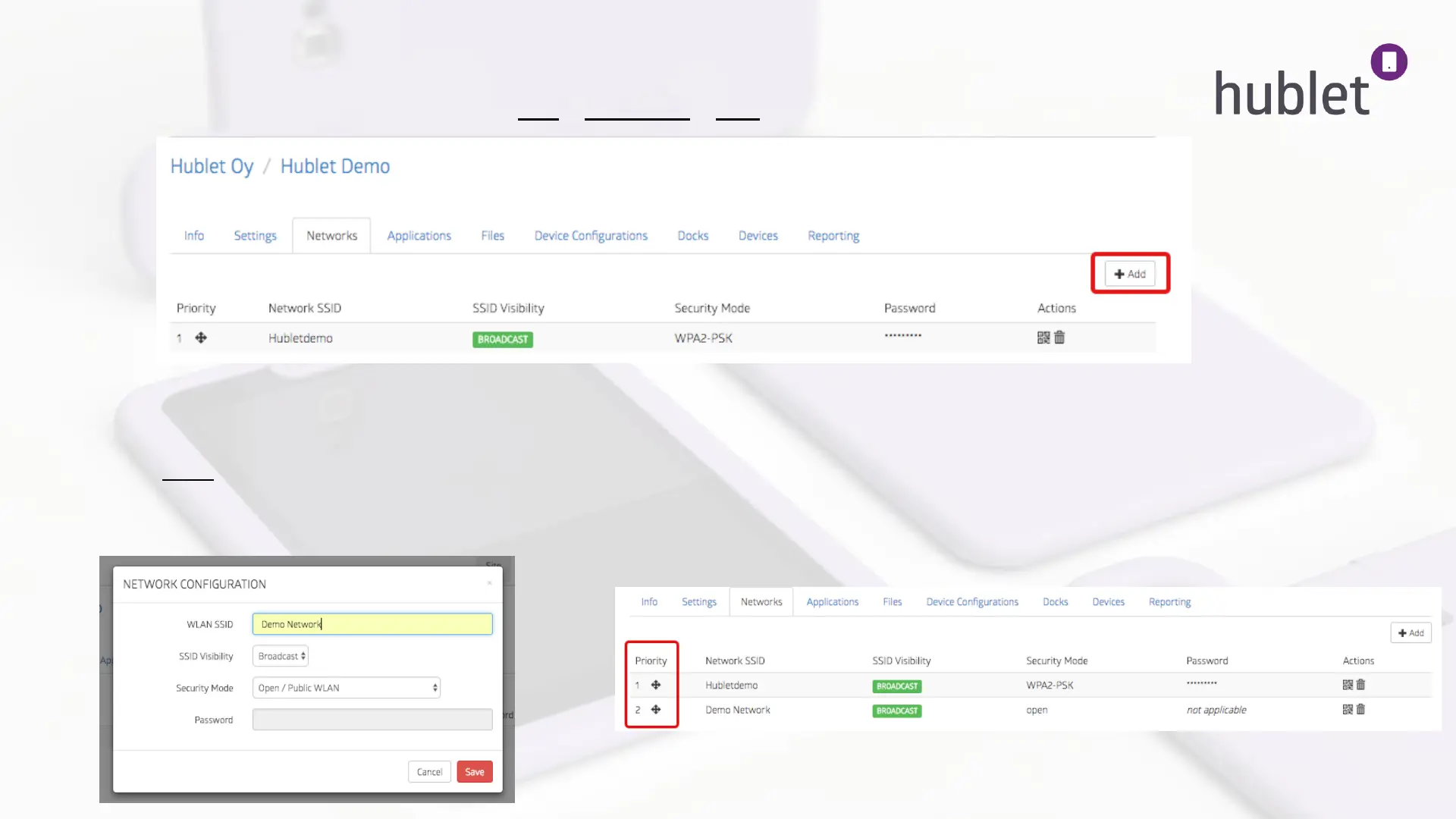
1. Log in the Hublet Manager and go to Site > Networks > Add
2. Next insert the network information: SSID (name of the network), Visibility (Broadcast/Hidden) and
Security mode (Open, WPA, WPA2, WEP). If using WPA, WPA2, WEP networks, insert the password also.
3. Click Save and the network will appear on the list of allowed networks.
4. If you are using multiple networks you can choose the priority by dragging and dropping the networks in the
desired order.
12
>
Site > Networks
Site > Networks > Add
Site > Network added to list
13/03/2019



 To Next Page