15
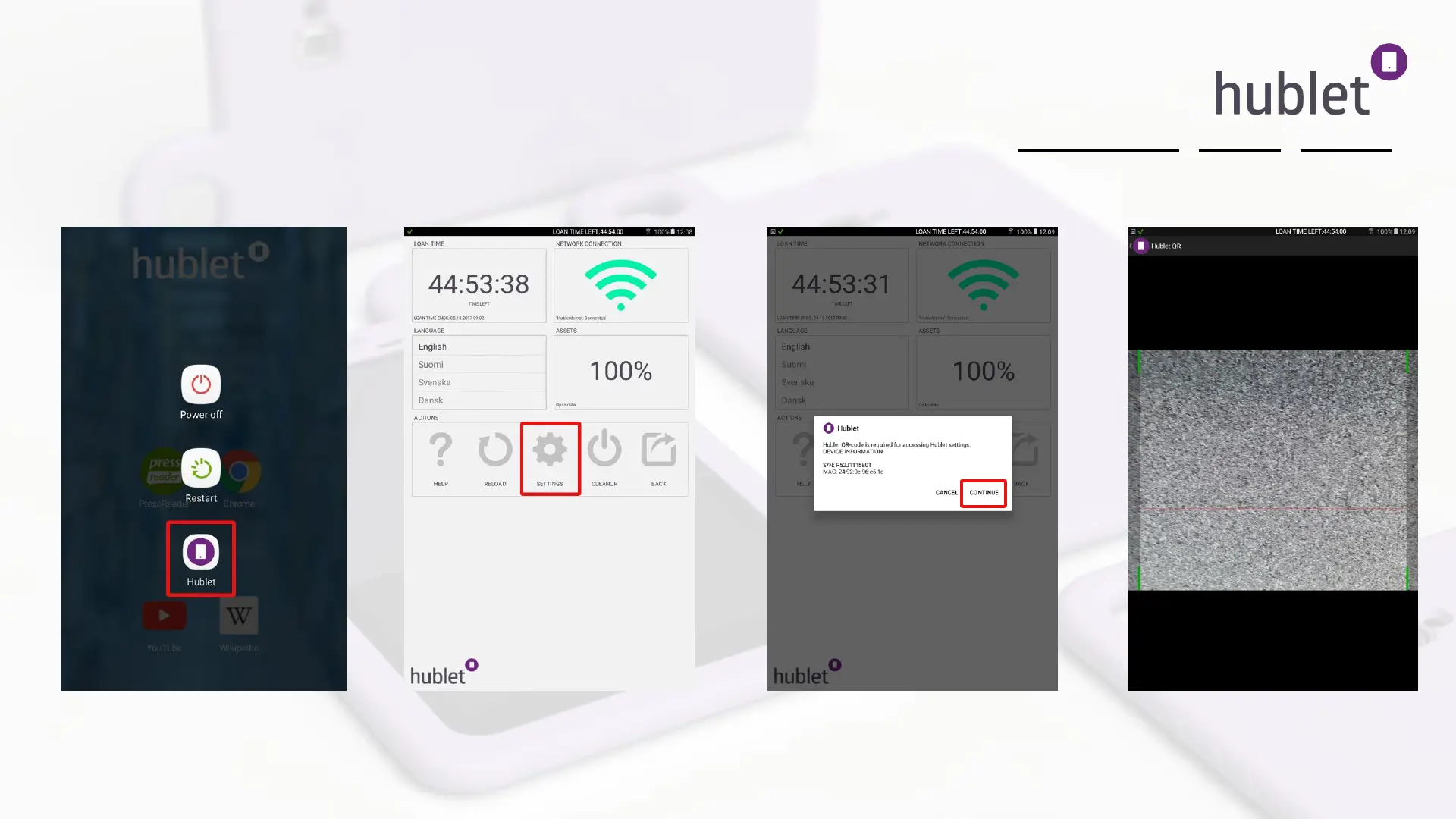
You can enter the scanning mode at any time in the Hublet admin app by pressing the power button > Hublet > Settings
This might be needed if there is a network change and the tablets go offline in between.
Taking into use: Configuring allowed networks for the tablets 4/4
Tablet: Power button > Hublet admin app
Tablet: Hublet admin app > Settings
Tablet: Hublet admin app > Settings >
Continue
Tablet: Hublet admin app > Settings
> Continue > QR Scanner
>>
>
13/03/2019



 To Next Page