36
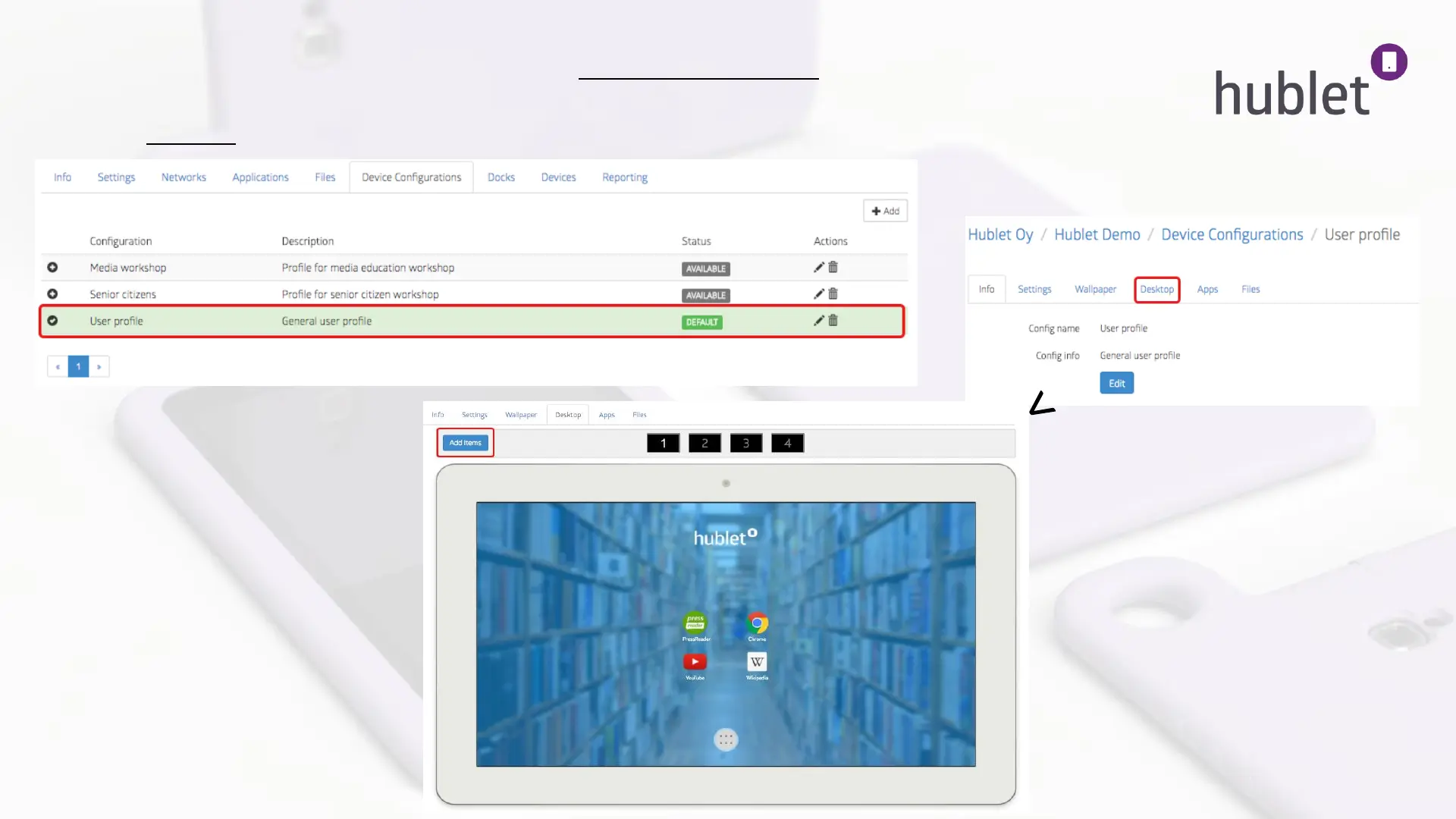
4. To install apps on your tablet desktop, go to Device Configurations and choose the user profile you just created,
or the one you wish to modify.
5. Click Desktop to modify the tablet view.
>
View: Device configurations
View: Device configurations > Profile
View: Device configurations > Profile > Desktop
13/03/2019



 To Next Page